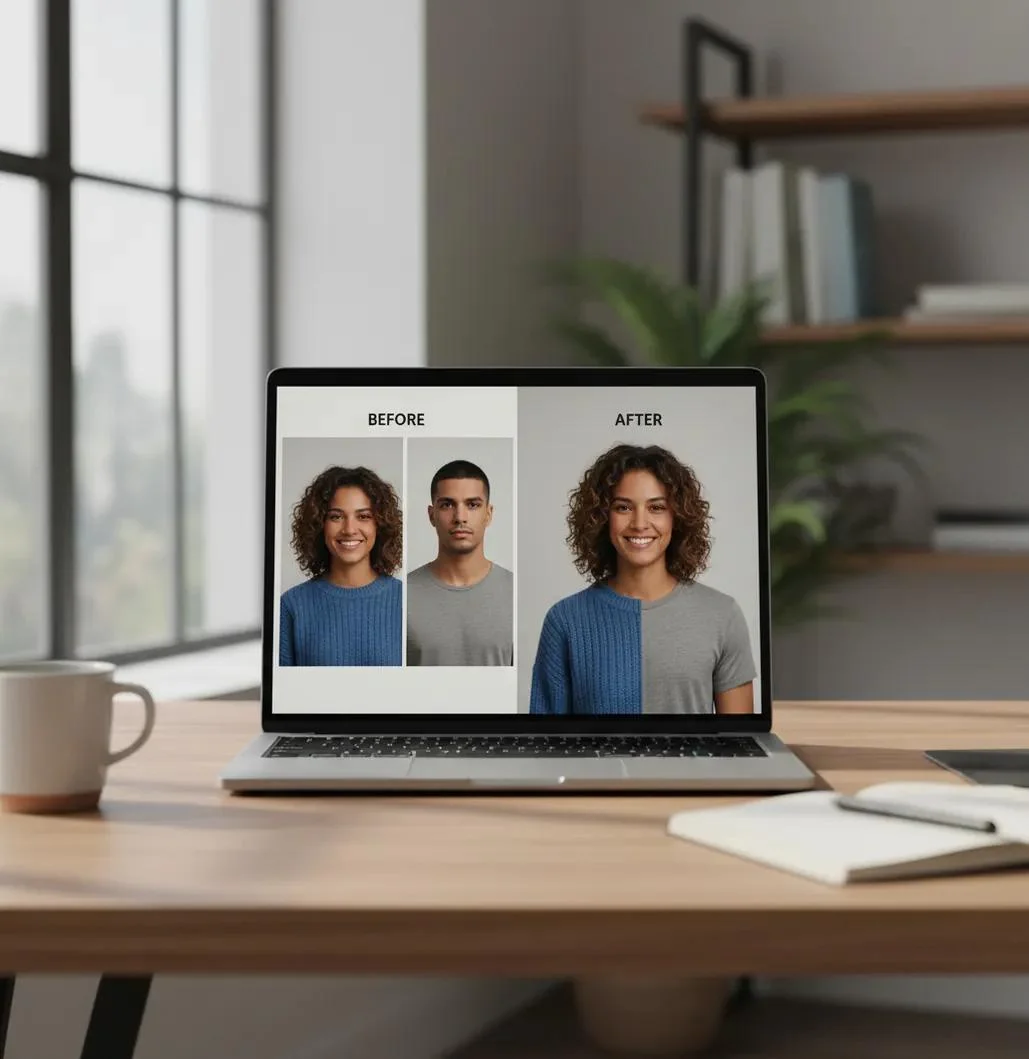
The best free AI face swap tools in 2026 make it easy to replace faces in photos, videos, and GIFs without spending hours learning editing software. Some platforms work directly in a browser, while others offer mobile apps or downloadable software for more control.
However, not every tool advertised as free provides unlimited access. Some offer daily credits, restrict video exports, or add watermarks to downloaded results. We compared eight popular options to help you find a suitable AI face swap tool for your next creative project.
Quick Comparison of the Best Free AI Face Swap Tools
Before choosing a platform, compare its supported formats, free access, and main purpose. This table provides a starting point for selecting a tool.
| AI Face Swap Tool | Best For | Photo Swap | Video Swap |
| Magic Hour | Free online face swapping | Yes | Yes |
| Remaker AI | Photo and multiple-face swapping | Yes | Yes |
| Vidnoz AI | Photo and video editing | Yes | Yes |
| PixNova AI | Quick online editing | Yes | Check current availability |
| Reface | Mobile face swap effects | Yes | Yes |
| FaceFusion | Local face swapping | Yes | Yes |
| DeepSwapper | Browser-based photo swapping | Yes | Check current availability |
| AKOOL | Professional video projects | Yes | Yes |
Free access, watermarks, and export restrictions vary by platform. Always check the current terms before starting a project.
8 Best Free AI Face Swap Tools in 2026
1. Magic Hour
Best for: Free online photo and video face swapping
Magic Hour is a browser-based AI creative platform that lets users replace faces in photos, videos, and GIFs. It is a convenient option for people who want to try face swapping without downloading desktop software.
One useful feature is its no-signup photo face swap option. According to its official help documentation, users can make up to five free photo swaps per day without creating an account. The photo results are also watermark-free. Video and GIF swapping share a separate allowance of three free generations per day, but those results include watermarks.
Main Features:
- Online photo face swapping.
- Video and GIF face replacement.
- Single and multiple-face options.
- No account required for supported free routes.
- Watermark-free free photo results.
Limitations:
Free video and GIF results contain watermarks and have lower output quality than paid exports. More advanced editing features require account credits.
Magic Hour is a good starting point for users who want to test AI face swapping before purchasing a subscription.
2. Remaker AI
Best for: Photo and multiple-face swapping
Remaker AI is an online creative platform with several image and video editing tools. Its face swap section includes single-face, multiple-face, batch photo, and video swapping options.
The platform uses a credit-based system. New users can receive free credits after registration, which they can use to try available editing features. Additional credits can be purchased when the free allowance runs out.
One useful feature is multiple-face swapping. It can help users edit group photographs where replacing only one face would not be enough.
Main Features:
- Single-face photo replacement.
- Multiple-face photo swapping.
- Video and GIF face swapping.
- Batch editing options.
- Browser-based access.
Limitations:
Video processing can consume credits quickly. Its video face swap page also specifies credit-based processing and currently supports one-person swapping in its regular mode.
Remaker AI is worth trying if you regularly edit photographs or want to experiment with group pictures.
3. Vidnoz AI
Best for: Photo and video face swapping
Vidnoz AI provides several AI-powered content creation tools, including photo and video face swapping. It is useful for people who want to experiment with face replacement and other video editing features on one platform.
Its browser-based interface means users can start editing without installing a complicated desktop application. The platform also supports workflows involving multiple faces, which can be useful for group content.
Main Features:
- AI photo face swapping.
- AI video face replacement.
- Multiple-face editing options.
- Browser-based workflow.
- Additional AI video creation features.
Limitations:
Free usage is restricted, and some advanced exports require a paid plan. Check the available credits, video limits, and watermark conditions before creating longer clips.
Vidnoz is a reasonable option for people who want to explore both photo and video editing.
4. PixNova AI
Best for: Quick online photo editing
PixNova AI is a browser-based platform that offers AI image editing features, including face swapping. It is suitable for users who want to experiment with replacing faces without learning professional photo editing software.
Its online workflow is straightforward. Users can upload an image, choose the replacement face, and let the AI generate an edited result.
It can be useful for casual creative projects, profile picture experiments, and personal photo edits.
Main Features:
- Online AI face replacement.
- Photo editing tools.
- Simple browser-based interface.
- No complicated installation.
- Additional AI image effects.
Limitations:
Available free credits, registration requirements, and download restrictions can vary. Check the current tool page before relying on it for regular use.
PixNova AI is worth considering if you prefer quick browser-based image editing.
5. Reface
Best for: Mobile face swap effects
Reface is a mobile-focused face swapping application designed for people who enjoy creating entertaining images and short videos.
Its template-based approach makes it easier to place a face into an existing visual effect without manually editing every detail. This can be useful for social media posts, funny clips, and personal creative projects.
Main Features:
- Mobile face swapping.
- Ready-made creative templates.
- Photo and short video effects.
- Simple editing workflow.
- Social media-friendly content.
Limitations:
Free access can include advertisements, usage restrictions, and paid subscription prompts. Some effects and export options may require a premium plan.
Reface is a suitable option for users who prefer editing on Android or iPhone instead of working on a desktop.
6. FaceFusion
Best for: Free local face swapping
FaceFusion is an open-source face manipulation project available through GitHub. Unlike most browser-based services, it can be installed on a compatible computer and used for local editing workflows.
This makes it interesting for users who want more control over their files and editing environment. It also supports advanced workflows involving images and video.
However, FaceFusion is not designed for complete beginners. Its installation process requires technical knowledge, and hardware compatibility can affect performance.
Main Features:
- Open-source software.
- Local processing options.
- Image and video workflows.
- Advanced face manipulation.
- More control over the editing environment.
Limitations:
Installation can be difficult for beginners. Users may need to configure dependencies and use compatible hardware to get the software running.
FaceFusion is a good option for technically experienced users who want a free alternative to online face swap services.
7. DeepSwapper
Best for: Simple online photo face swapping
DeepSwapper is an online AI face swap platform for users who want to replace faces in pictures through a browser.
It is designed for straightforward image editing, making it suitable for people who do not want to install complicated applications. Users can upload a target image and a replacement face to generate an edited photograph.
Main Features:
- Browser-based photo swapping.
- Simple image upload process.
- AI face replacement.
- No desktop installation required.
- Quick editing workflow.
Limitations:
Free usage and available export options should be checked before starting a project. Do not assume that free photo access includes unlimited video processing or HD downloads.
DeepSwapper is worth considering for occasional photo edits and simple creative experiments.
8. AKOOL
Best for: Advanced AI video and creative projects
AKOOL is an AI content creation platform that includes face swapping and other video-related tools. It is aimed at users who need more advanced creative features than a basic photo replacement website provides.
Its video capabilities make it worth comparing for marketing content, creative presentations, and other production workflows.
Main Features:
- AI face swapping.
- Photo and video editing.
- Multiple-face workflows.
- Advanced creative features.
- Browser-based access.
Limitations:
Some advanced features require paid access. Free availability, video credits, and watermark restrictions depend on the selected tool and plan.
AKOOL is a candidate for creators who want to explore more advanced AI editing features.
How to Choose the Right AI Face Swap Tool
Choosing a face swap platform depends on what you want to create. A tool that works well for a single photograph may not provide the same results with a moving video.
Consider these factors before uploading your images.
1. Free Credits and Usage Limits
Some AI platforms offer a limited number of free generations every day. Others provide sign-up credits that can be used until the balance reaches zero.
Check whether the credits reset daily, expire, or require a paid upgrade. This helps you avoid starting a large project that you cannot finish without purchasing additional credits.
2. Look for Watermark-Free Downloads
A watermark can make an edited photograph unsuitable for a professional presentation or personal project.
Check the export conditions before generating an image. Some platforms provide clean photo downloads but add watermarks to free video exports.
3. Compare Photo and Video Features
Photo swapping usually requires less processing than video swapping. Video tools must maintain a consistent face across multiple frames, which makes the process more demanding.
If you plan to edit short clips, check the maximum video duration, supported formats, and output resolution.
4. Consider Privacy and Security
Before uploading personal photographs, read the platform’s privacy policy. Check how uploaded files are stored, whether they are used for model training, and whether you can delete them.
For sensitive material, consider local software such as FaceFusion and review its installation and data-handling requirements.
How to Swap Faces Using AI for Free
Most online AI face swap tools follow a similar process. You can usually create an edited image in a few simple steps.
Step 1: Choose a Face Swap Website
Open a platform such as Magic Hour, Remaker AI, or Vidnoz. Select its photo face swap option if you want to edit a still image.
Step 2: Upload Your Original Photo
Choose a clear image where the target face is visible. A front-facing photograph with good lighting usually gives the AI a better starting point.
Step 3: Upload the Replacement Face
Select the photograph containing the face you want to use. Try to choose an image with a similar angle and lighting to the original.
Step 4: Generate the Edited Image
Start the face swap process and allow the platform to generate the result. Processing time depends on the image size, service, and available resources.
Step 5: Review and Download
Examine the edited image before downloading it. Check the jawline, hairline, skin tones, facial expression, and surrounding details for visible editing errors.
Download the final result if you are satisfied with the quality and the platform’s export terms.
Which Free AI Face Swap Tool Should You Try?
The right choice depends on your editing requirements. Magic Hour is a convenient starting point for free browser-based photo swapping, while Remaker AI is worth considering for multiple-face editing. Vidnoz provides another option for experimenting with photo and video workflows.
For mobile effects, Reface is worth exploring. Users who prefer local software and have the technical skills to install it can consider FaceFusion.

Before committing to any platform, check its current free credits, watermarks, privacy policy, and export restrictions. The best free AI face swap tools in 2026 are the ones that let you complete your intended project without unexpected limitations.