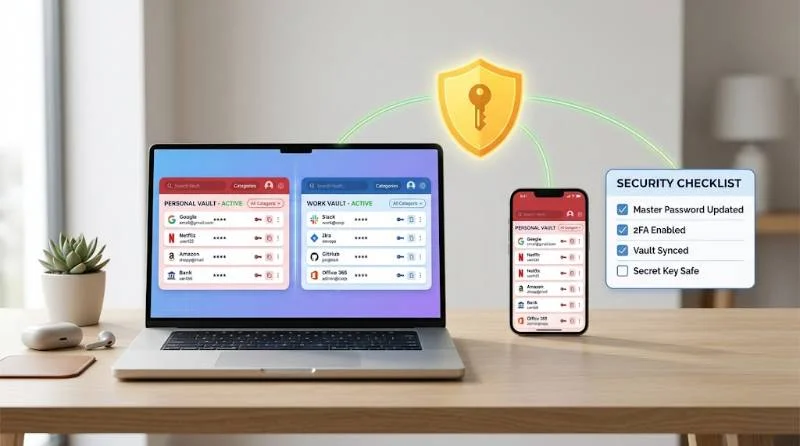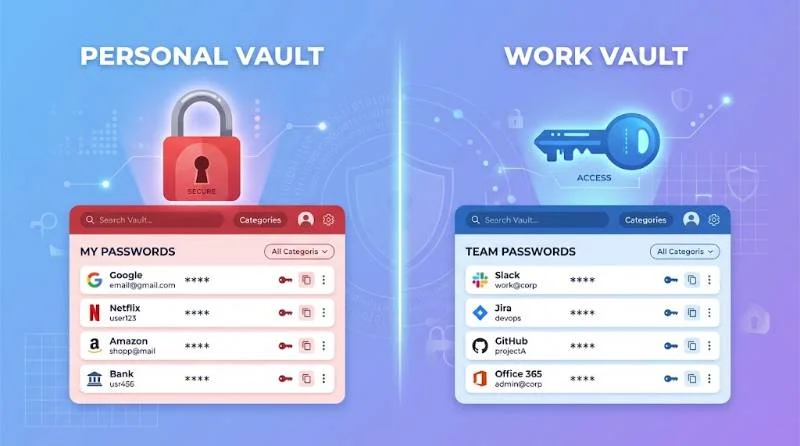
Choosing between LastPass vs 1Password comes down to three things: security history, price, and the devices you use. For most people, 1Password is the better pick. LastPass still wins in two cases. You want a free plan, or you need a family plan that covers six people.
This guide compares both tools on security, features, ease of use, pricing, and family or business use. It also covers who should skip both
LastPass vs 1Password at a Glance
Here is the quick version before the detail. The table shows where each tool leads.
| Category | LastPass | 1Password |
| Free plan | Yes, limited to one device type | No, 14-day trial only |
| Family plan size | Up to 6 members | Up to 5 members |
| Vault breach history | Major 2022 breach | No user vaults exposed |
| Secret Key extra layer | No | Yes |
| Travel Mode | No | Yes |
| Best for | Free users, large households | Security-first users and teams |
Security: the Biggest Difference
Both services use AES-256 encryption and a zero-knowledge design. In theory, neither company can read your passwords. In practice, the track record separates them.
1: What Happened in the LastPass Breach
In 2022, attackers stole copies of customer vaults from LastPass backups. The passwords inside were encrypted. Website URLs and other metadata were not. That detail matters because a list of sites you use is useful to a phisher.
The real risk was offline cracking. Attackers can guess master passwords against a stolen vault for years with no rate limits. Weak master passwords fell first. Some cryptocurrency thefts were later linked to cracked vaults.
LastPass has since raised its default hashing strength and tightened its practices. Even so, a breach of this size is hard to forget, and trust is slow to rebuild.
2: How 1Password Protects your Vault
1Password adds a Secret Key to your master password. This is a long random code generated on your device. It never reaches the company’s servers.
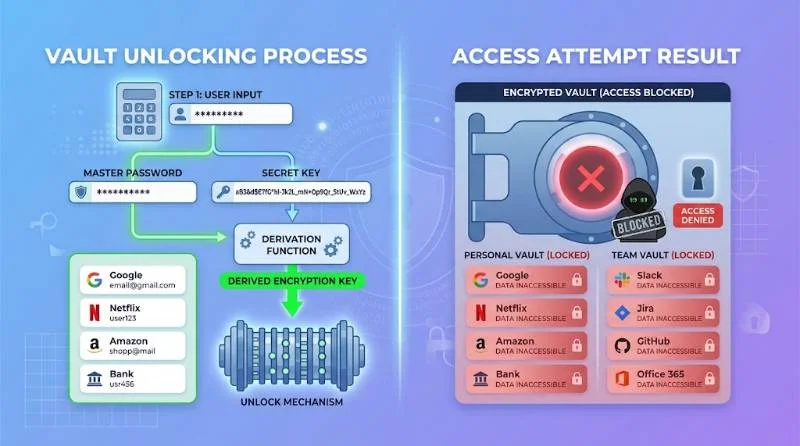
A stolen 1Password vault is far harder to crack. The attacker needs your master password and the Secret Key, and the key is too random to guess. The trade-off is recovery. Print or store your Emergency Kit somewhere safe, because losing every secret can lock you out.
3: When this Advice Does Not Apply
If you already use LastPass with a long, random master password, your stolen vault is much harder to crack. In that case, rotating the passwords stored inside it matters more than switching apps. Rotate the passwords for banking, email, and crypto accounts first. Then decide whether the brand still earns your trust.
Features Compared
1: Autofill and Password Generation
Both tools autofill logins and payment details across Chrome, Firefox, Safari, and Edge. Both generate strong passwords and flag weak or reused ones. Day to day, you will not notice a major gap here.
2: Passkeys and Breach Monitoring
Both tools store and fill passkeys, which is now table stakes. For monitoring, 1Password uses Watchtower to flag compromised sites, reused passwords, and missing two-factor prompts. LastPass offers a security dashboard and dark web monitoring on paid plans. Watchtower feels more actionable because it links straight to the site that needs fixing.
3: Sharing and Emergency Access
Both let you share logins with other people. 1Password lets you send an item by link, even to someone without an account. LastPass has a clear Emergency Access feature, where a trusted contact can request your vault after a waiting period. 1Password handles this through family organizer recovery and your Emergency Kit.
4: Extras for Power Users
1Password has Travel Mode, which removes selected vaults from your devices while you cross a border. It also includes an SSH key agent, a command line tool, and a native Linux app. LastPass has no equivalent travel feature, and its Linux support relies mostly on the browser extension.
5: Ease of Use
LastPass has a familiar interface that feels like a web page. Menus can get busy, but new users find their way quickly. 1Password looks cleaner and puts its desktop app at the center. Setup takes a few more minutes because of the Secret Key and Emergency Kit.
Both apps run on Windows, macOS, iOS, and Android, and both work in major browsers. Moving between them is simple. Export a CSV from one, import it into the other, then delete the CSV right away. That file holds your passwords in plain text.
6: Mobile Apps and Browser Extensions
Both mobile apps support Face ID and fingerprint unlock. Autofill on iOS and Android works well in both, though results vary by site. Test autofill with your banking and email apps during the trial, since those logins matter most.
Pricing and Plans
Individual pricing is close. Both land at a few dollars a month on annual billing, and promotions change often. Check each pricing page before you buy, because a first-year discount can hide a higher renewal.
Free Plans and Trials
LastPass has a free plan, but it limits you to one device type. You can use it on computers or on phones, not both. 1Password has no free plan, only a 14-day trial. If you want free across every device, Bitwarden is a better fit than LastPass Free.
Billing Through App Stores
Buy directly from the company website. 1Password says promotional pricing is for new customers who subscribe on its own site. Purchases through Google Play or the Apple App Store do not qualify. Store billing can also make cancelling less direct.
LastPass vs 1Password for Families
LastPass Families covers six members, while 1Password Families covers five. In a household of six, that gap can save you a second subscription. Each member gets a private vault, and shared folders handle Wi-Fi codes and streaming logins.
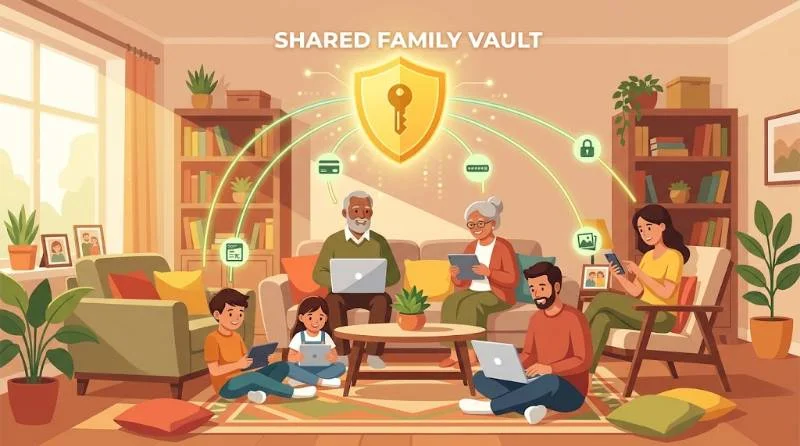
1Password Families uses shared vaults and lets organizers help recover a locked-out member. That matters for older parents and kids. Recovery is a common pain point in families, and 1Password handles it well.
If security matters more than the extra seat, pick 1Password. If budget and head count come first, LastPass Families is reasonable.
LastPass vs 1Password for Small Businesses
Both vendors sell business plans with admin controls, shared vaults, single sign-on options, and usage policies. The right choice depends on how your team works.
1Password suits teams that want strong security defaults, detailed reporting, and developer tools like SSH key management. LastPass suits teams that want a familiar interface and a simple rollout. Check seat minimums and tier features before you commit, since both vendors change their bundles.
Teams should also weigh breach history more heavily than individuals do. Security reviewers will likely ask about the 2022 incident.
Support and Documentation
Both companies publish detailed help centers and setup guides. 1Password also runs an active community forum and publishes a security white paper. LastPass pairs its help center with in-app guidance for new users. Read the recovery steps before you need them, since neither company can simply reset your master password for you.
Security Habits That Matter with any Password Manager
The brand matters less than how you use it. Pick a master password of four or more random words that you do not use anywhere else. Turn on two-factor authentication for the manager itself, using an authenticator app or a hardware key rather than SMS. Keep your recovery details offline. Review your vault every few months and delete old accounts you no longer use.
Which one Should you Choose?
Choose LastPass if
- You want a free plan and only use one device type.
- You need one family plan for six people on a tight budget.
- You already use it with a long random master password and have rotated your key passwords.
Choose 1Password if
- You want the stronger security record and the extra Secret Key layer.
- You travel often or work with SSH keys and code.
- You value a cleaner interface and simpler family recovery.
Should you Consider Other Password Managers?
Neither tool is the only answer. Bitwarden is open source and has a generous free plan that works on every device. Proton Pass focuses on privacy and includes email aliases. If your household uses only Apple devices, the built-in Passwords app is free and capable.