
Gizmo AI is a study app that turns PDFs, YouTube videos, slides, and notes into flashcards and quizzes, then schedules reviews with spaced repetition. It is free to start on iPhone, Android, and the web, but the free plan caps daily practice, and unlimited use needs a paid subscription. For students who already have class material and want practice questions fast, it works well. For anyone who wants full control over every card, it has limits.
This guide covers what Gizmo does, how the free plan works, what the paid plan costs, and how it compares with Quizlet, Anki, and RemNote. It also includes a short method for checking AI-made cards before you trust them on exam day.
What Gizmo AI Does
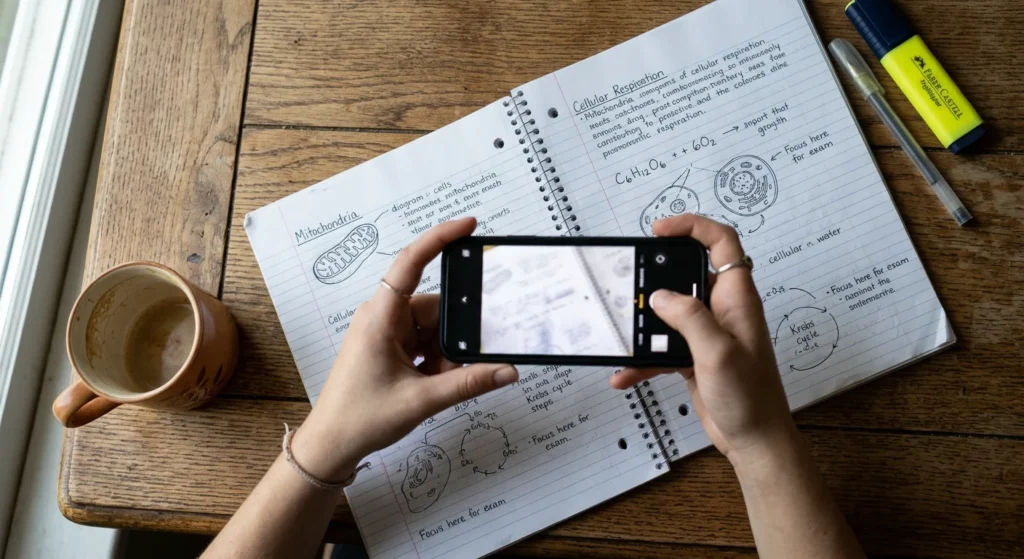
Gizmo is built around a simple idea: you should not have to type flashcards by hand. Its App Store listing says it imports from Quizlet, Anki, YouTube, PDFs, notes, and PowerPoint, and it can scan handwritten notes to turn them into flashcards and quizzes.
EdTech Map describes the company as London-based and lists the Android app at 4.7 stars with more than 5 million downloads. The same listing says the iOS app first launched on February 17, 2022, and a web version runs at app.gizmo.ai.
The company, Gizmo AI Ltd, was called Save All Ltd until October 2026. You may still see the older name on review sites.
Core Features of Gizmo AI
1. AI Import and Card Generation
The import step is the main reason people pick Gizmo. A PDF of lecture slides, a recorded lecture on YouTube, or a pasted set of notes becomes a deck without manual formatting. The app also offers more than 1,000,000 free public decks made by other students.
Public decks help with common courses, but quality varies because anyone can publish one. Check them against your own syllabus before relying on them.
2. Spaced Repetition and Active Recall
Gizmo quizzes you on a card, then brings it back later based on how you answered. Missed cards return sooner, and cards you know return after longer gaps. Anki popularized this approach, but here the app sets the schedule for you.
Quiz formats include multiple-choice and written questions. Written answers force real recall, which is harder than recognizing the right option from a list.
3. Gizmo Live and Study Groups
Gizmo Live turns any deck into a real-time quiz where friends join with a game code and faster correct answers earn more XP. A ScreensDesign review of the app also describes study groups where members add decks and take daily quizzes.
4. The AI Tutor
Gizmo includes an AI tutor for explanations and homework help alongside its memorization quizzes. Tutor access is limited on the free plan.
How to Turn a Study Guide Into a Quiz
Button labels change between app versions, so this is the general flow, not an exact click path.
- Create an account and start a new deck from the import option.
- Pick the source type, such as a PDF, a YouTube link, or a camera scan of handwritten notes.
- Wait for the cards to generate, then skim them.
- Delete weak or duplicate cards and fix any that are wrong.
- Start a quiz session and return daily as the schedule prompts you.
Picture a nursing student with a 40-page pharmacology PDF. Importing one chapter at a time keeps each deck short and shows which chapter is weakest.
How the Free Plan and Lives System Work
The free plan gives you 15 lives per day. Each wrong answer costs one life, and lives refill after a 10-minute wait. Free users also get up to 10 AI-generated quizzes per day.
The math shows who this suits. At 70% accuracy, you miss about 3 of every 10 questions, so 15 lives last roughly 50 questions. At 90% accuracy, they last about 150.

That design favors reviewing material you already half know. It is frustrating for learning a brand-new topic, where you miss more and hit the wall sooner. If you start from zero, expect to pause or pay.
Gizmo AI Pricing in the US
Tools for Humans lists the unlimited weekly plan at $13.99 per week, or $6.99 with the student discount. It includes unlimited lives, quizzes, AI tutor access, flashcards, and imports. A yearly plan also exists, but its price varies, so check the in-app paywall.
Weekly billing adds up. At $13.99, 52 weeks costs about $727, and at the student rate it is about $363. For comparison, EdTech Map lists Quizlet Plus at $44.99 a year on the US App Store.
The practical move is to use the weekly plan as a short-term tool for finals and cancel afterward. Prices change often, so confirm what the app shows before you subscribe.
Gizmo AI vs Quizlet, Anki, and RemNote
These tools overlap, but each fits a different study habit.
| Tool | Best for | Free option |
| Gizmo | Fast cards from files you already have, gamified quizzes | Yes, with daily limits on lives and AI quizzes |
| Quizlet | Browsing and sharing study sets | Yes, with ads |
| Anki | Hand-built cards with full control over scheduling | Check Anki’s site for current platform pricing |
| RemNote | Notes and flashcards in one workspace | Yes, with unlimited notes and flashcards |
RemNote’s own comparison page says to choose Gizmo if quick AI card generation, social challenges, and a gamified loop keep you practicing. RemNote is a competitor, so read its framing with that in mind. Its feature differences match what other sources report.
Gizmo imports Anki decks. If you already have years of Anki cards, you can test the interface without rebuilding anything.
Pros and Cons of Gizmo AI
What works well:
- Imports from many formats, including handwritten notes
- Schedules reviews automatically
- Large library of public decks
- Live quizzes for group study
What holds it back:
- The free plan limits lives and AI quizzes each day
- The Educational App Store review lists limited customization for quiz types and no offline study mode yet
- Weekly billing gets expensive if left running
- Generated cards can contain errors
How to Check AI-Generated Flashcards Before You Trust Them
Any AI card generator can drop a qualifier, merge two ideas, or misread a table. Gizmo AI is no exception, so a quick audit pays off before an exam.
Pick 10 cards at random and compare each to your source. If more than one or two are off, regenerate the deck from a cleaner file or edit the cards by hand. That threshold is a rule of thumb, not an official standard.
Check numbers, units, dates, and drug or formula names first, since those errors cost the most. Scanned handwriting deserves extra attention, because one misread character can change an answer.

For math, chemistry, or anything with worked problems, add your own practice problems. Flashcards test recall and do not replace solving problems by hand.
Who Should Use Gizmo AI
Gizmo fits students with a pile of existing material and a few weeks before an exam. It also suits study groups that like competing. It fits less well for people who need offline study, detailed card customization, or a free tool with no daily caps.
Test the free plan on one chapter first. If the generated cards are accurate and the lives system does not slow you down, upgrading for exam season is reasonable. If not, Quizlet, Anki, or RemNote cover the same ground.