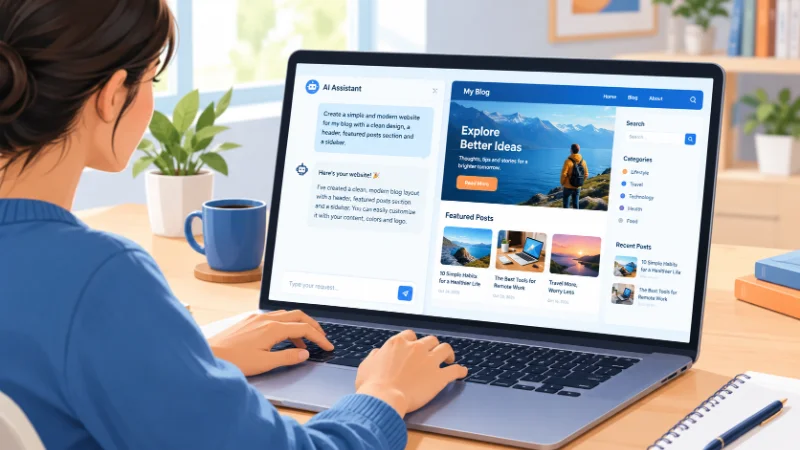
Vibe coding is building software by describing what you want in plain English while an AI writes the code. You skip most of the typing. You judge the result, ask for changes, and repeat. Wondering what is vibe coding and whether it deserves your time? This guide covers the definition, the workflow, the tools, and the risks. It is a real shift in how people make software, and it is useful for non-programmers as well as experienced developers.
What Is Vibe Coding?
Vibe coding is AI-assisted programming where you guide the software with natural language instead of writing each line yourself.
AI researcher Andrej Karpathy coined the term in February 2025. He described a way of working where you stop reading the code closely and simply go with the flow. You run the app, see what breaks, and tell the AI what to fix.
Many people use it for any workflow where AI writes most of the code and a human steers in plain language.
The core idea is simple. You describe the outcome, such as a budget tracker with a monthly chart. The AI decides the files, the language, and the logic.
Pure Vibe Coding Versus Responsible AI-Assisted Coding
The term now covers two habits, and they carry different risk. Pure vibe coding means you accept the AI’s output without reading it. You judge only by whether the app works.
Responsible AI-assisted coding means you read, test, and understand the output before relying on it. Most professionals use the second habit even when they call it vibe coding.
For a throwaway weekend project, the first habit is fine. For anything that other people depend on, it is not.
How Vibe Coding Works
The Prompt, Run, Refine Loop
Every vibe coding session follows the same loop. First, you write a prompt that states what the app should do and who it is for. The AI generates a working draft. You run it and see what happens.
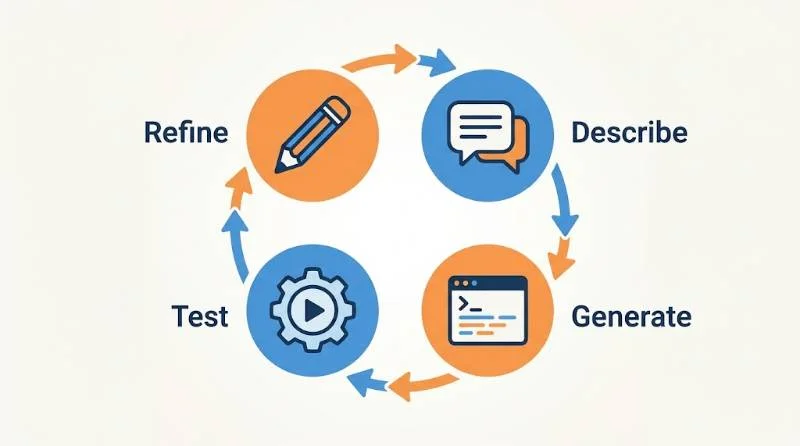
Then you reply with plain-language feedback. For example: make the buttons larger, or fix the totals when I enter a negative number. The AI edits the code, and you test again.
What The AI Does And What You Do
The AI handles syntax, boilerplate, libraries, and file structure. You handle the product decisions. You decide what to build, what good looks like, and when the result is wrong. This division is why vibe coding feels fast. It is also why a vague prompt gives a vague app.
Under the hood, large language models trained on huge amounts of code do the generation. Modern tools go further. Many act as agents that create multiple files, run the code, read the error messages, and fix their own mistakes.
A Quick Vibe Coding Example
Here is a realistic example of vibe coding. A teacher wants a tool that turns a list of student names into random groups of four. She types that request into a browser-based builder. Within a minute, she has a working page with a text box and a button.
The first version drops leftover students, so she writes, “Put any extra students into the last group.” Next she asks for a printable view. She never opens the code.
That is the whole appeal. It is also the limit. If she later wants to save class lists across semesters, she needs logins and storage. Those are the areas where AI-generated mistakes cost the most.
Vibe Coding Versus Traditional Coding
Traditional coding starts with a design and ends with code you wrote and understand line by line. Vibe coding starts with a description and ends with code you may never read. That difference changes speed, control, and risk.
It also differs from nearby approaches. Autocomplete tools such as GitHub Copilot suggest the next line while you type, so you stay in charge of the code. No-code platforms let you assemble apps from visual blocks, which is predictable but limited. Vibe coding generates real code from a description, which is flexible but less predictable.
Professional developers often blend the methods. They vibe code a prototype in an afternoon, then review and rewrite the parts that must be reliable.
Popular Vibe Coding Tools
Tools fall into two groups. The first group runs in your browser and handles hosting for you. Replit, Lovable, and Bolt.new work this way, and they suit beginners who want a live app quickly. Google AI Studio also lets you build small web apps from prompts.
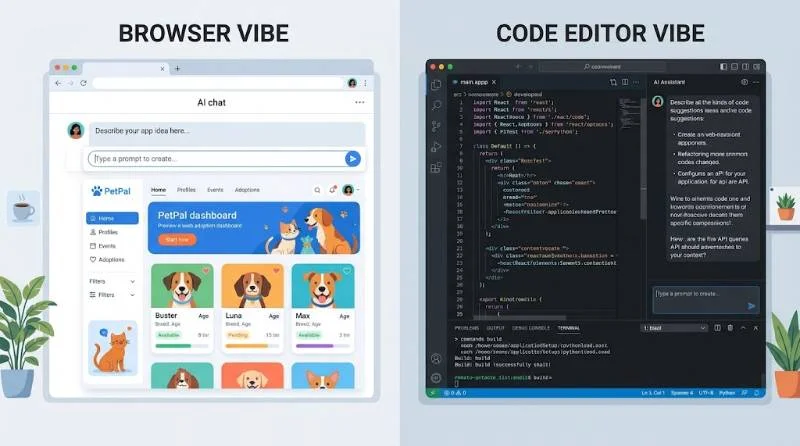
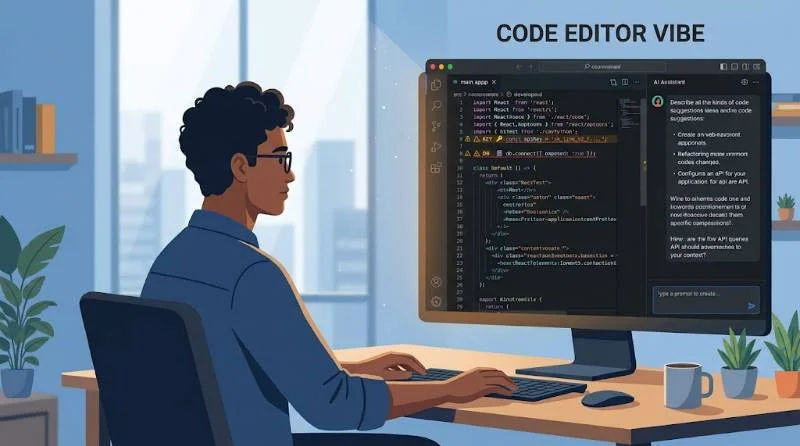
The second group lives in a code editor or terminal. Cursor and Claude Code read your whole project, edit many files at once, and run commands. They give more control, but they assume you can read what they produce.
Pick the tool by your skill level, not by hype. A first-time builder should start in a browser tool. Someone with coding experience will get more from an editor-based tool.
If you are unsure, build the same small project in two tools and compare the results. Many offer free plans or trials, so the test costs little.
What You Can Build With Vibe Coding
Vibe coding works best where speed matters more than perfection. Good fits include landing pages, personal websites, internal dashboards, small automations, and prototypes you want to show a client or investor. It is also a strong way to test an idea before paying a developer.
Weak fits include payment systems, medical software, banking tools, and anything that stores sensitive customer data. Those need engineers who understand every line.
Benefits Of Vibe Coding
The biggest benefit is speed. A prototype that once needed a team and weeks can appear in an afternoon. That speed lowers the cost of trying ideas, so you can test several concepts instead of betting on one.
Access is the second benefit. Founders, designers, teachers, and marketers can now build tools they once had to request from engineering. You also learn by reading the code the AI produces, which works like a worked example.
Iteration is the third benefit. Changing direction costs one sentence instead of a rewrite, so you can follow feedback from real users quickly.
Risks And Limits You Should Know
Vibe coding has real weak points. The first is code you do not understand. When something breaks, you cannot fix what you cannot read, and the AI may loop through guesses that make things worse.
Security is the second. AI-generated apps can ship with exposed API keys, missing login checks, or databases open to anyone. A prototype with those flaws is harmless on your laptop. Once it is live with real user data, it is a liability.
Maintenance is the third. Code nobody reviewed is hard to update months later, especially after dozens of prompts have patched it in different styles.
Complex systems are the fourth. Large codebases, performance-critical software, and unusual integrations push past what a prompt-driven workflow handles well.
Overconfidence is a quieter problem. The AI will sometimes describe broken code as finished and sound sure about it. Always check the claim by running the app yourself.
The practical rule is to treat AI code as a draft. Read it, test it, and have an experienced developer review anything that handles money, logins, or private data.
1: How To Start Vibe Coding
Pick a small first project, such as a habit tracker or a unit converter. Avoid anything that needs payments or user accounts until you have more experience.
2: Write A Specific First Prompt
Specific prompts produce better apps. Compare “make a website” with “build a photographer portfolio with a dark theme and a gallery grid.” The second prompt gives the AI a purpose, a style, and a layout to follow.
3: Build In Small Steps
Ask for one feature at a time. Get the layout working, then add the form, then add the database. Small steps make mistakes easy to spot. A single giant prompt hides them.
Save a working version before each big change. Most tools offer checkpoints or version history, and Git does the same job for editor-based tools.
4: Test And Ask The AI To Explain
Click every button. Try bad inputs. When you hit an error, paste the exact message back to the AI. You can also ask it to explain any block of code in simple terms. That habit turns each session into a lesson and keeps you from shipping code you cannot describe.
Who Should Use Vibe Coding
Beginners and non-programmers get the most obvious gain. They can build something real without months of study. Experienced developers use it differently. They hand off boilerplate and first drafts, then apply their judgment to architecture and review.
It is a poor fit when you need guaranteed correctness or strict compliance and nobody on your team can read code.