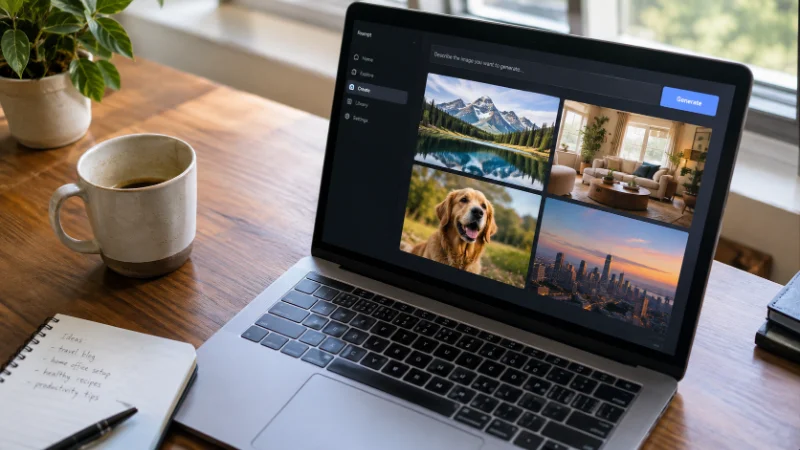
GPT Image 2 from OpenAI is the best AI image generator overall in 2026. It sits at the top of Artificial Analysis’s Image Arena, a leaderboard built from tens of thousands of blind human comparisons, and the gap between it and the next closest model is the widest the arena has recorded. But “best” changes depending on what you’re making. Nano Banana Pro from Google wins on photorealism and precise edits. Midjourney still owns a painterly, art-directed style. Ideogram handles text inside an image better than almost anything else on the market.
The short version: if you want one tool that does most jobs well, start with GPT Image 2 or Nano Banana Pro. If you already know your use case, skip ahead to the section that matches it.
How I Tested These Tools
I ran the same five prompts through each generator: a photorealistic portrait, a product shot on a plain background, a poster with a headline in it, a fantasy landscape, and an edit request (change the background, keep the subject). I judged each output on how close it came to the prompt, how the skin, hands, and text rendered, and how many tries it took to get a usable result.
None of these tools nail every prompt on the first attempt. The differences show up in how often they get close, and how much manual cleanup the output needs afterward.
It’s also worth separating two things people tend to lump together: the model and the platform. The model is the actual engine doing the generation, GPT Image 2, Nano Banana Pro, and so on. The platform is where you access it. Some platforms run a single model exclusively. Others, like certain all-in-one creative apps, put several models behind one subscription so you can switch depending on the job without paying for five separate accounts. When you’re comparing “the best AI image generator,” check whether you’re actually comparing models or comparing platforms, because the answer changes depending on which question you’re asking.
There’s also a technical split worth knowing about, since it explains why some tools behave so differently. Most generators, including Stable Diffusion, Flux, and Midjourney, are diffusion models: they start from random visual noise and refine it step by step, guided by a text encoder that translates your prompt into something the model can follow. GPT Image 2 is part of a newer transformer-based family that builds an image piece by piece, similar to how a language model builds a sentence one token at a time. That structural difference is a big part of why it handles instructions like “keep everything the same except the sky” more reliably than a pure diffusion model does.
1. GPT Image 2: Best Overall
OpenAI released GPT Image 2 in April 2026, and it works differently from most image models. Instead of generating pixels in one pass, it plans the composition first, can pull in reference details, and checks its own output before handing it back, according to reporting from The New Stack on the release. That planning step is why it tends to get proportions, hands, and layout right more consistently than older diffusion models.
It also handles conversational edits well. You can ask it to warm up the lighting, move an object, or remove a prop, and it applies just that change instead of regenerating the whole scene from scratch. For anyone building marketing assets, product mockups, or editorial images inside a chat workflow, this is currently the strongest general-purpose option.
2. Nano Banana Pro: Best for Photorealism and Editing
Nano Banana Pro, built on Google’s Gemini image technology, is the model reviewers keep coming back to for realistic people and faces. CNET’s own testing scored it highly in a head-to-head image generator comparison, and it has placed first in more than one independent blind test this year.
Its standout skill is consistency. If you generate the same character or product across multiple images, Nano Banana Pro keeps the face, outfit, or packaging matching from shot to shot, which matters for anyone building a series of images rather than a single hero shot.
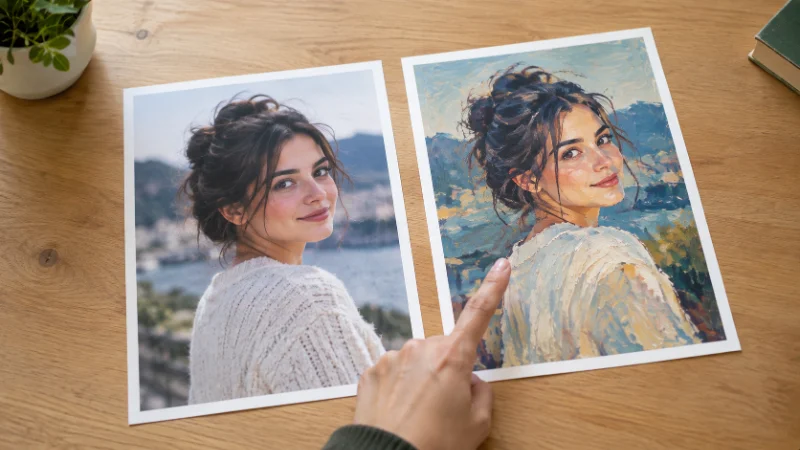
In my own testing, this consistency held up across ten variations of the same product photo, changing only the background and lighting each time. The packaging label stayed sharp and unchanged in every version, which older image models rarely managed. That single detail, a crisp logo across generations, ends up mattering more than raw photorealism for anyone producing catalog images at volume.
3. Midjourney: Best for Art Direction
Midjourney remains the reference point for stylized, painterly output. If the brief calls for something that looks intentionally designed rather than photographic- moody lighting, illustrative texture, a specific color mood- Midjourney still produces results that are hard to match anywhere else.
Where it falls short is precision work. Text inside an image often comes out warped, and fine editing (move this object two inches left) is not its strength. It’s a tool for generating a look, not for pixel-level control.
Midjourney also spent most of 2026 moving its workflow off Discord and into a standalone web app. The web version is easier for a first-time user, but it’s still a gallery interface rather than a conversation, which feels a step slower than typing a prompt directly into a chat window.
4. Adobe Firefly: Best for Commercial Use
Firefly isn’t chasing the top spot on quality leaderboards, and that’s not really the point of it. Adobe trained it on licensed and public domain content, and every image comes with usage rights built in, which matters for teams that need to run creative through legal review before it ships. If your priority is staying clear of copyright disputes rather than squeezing out the last bit of photorealism, Firefly is the safer default.
That license clarity is also why Firefly shows up inside larger design tools rather than as a standalone app. It’s built into several Adobe products, so a design team already working in that ecosystem can generate an image without leaving the file. The trade-off is a smaller stylistic range, a polished, slightly conservative look compared to Midjourney’s willingness to get weird with a prompt.
5. Ideogram: Best for Text in the Frame
Most image generators still struggle to render legible words inside a picture. Ideogram is the exception. Posters, packaging mockups, social graphics with a headline baked into the image, menus, signage: this is the model that gets the letters right most consistently.
Outside of typography, Ideogram’s photorealism is a step behind GPT Image 2 and Nano Banana Pro. Use it specifically for jobs where the text is the point.
Two other tools are worth a mention even though they didn’t top any category in my testing. Recraft handles vector-style output well, which matters if you need a logo or icon set rather than a photo. Canva’s built-in generator isn’t the strongest model on its own, but it’s the fastest path from a generated image to a finished, on-brand social post, since the generation and the editing happen in the same tab.
6. Stable Diffusion and Flux: Best for Self-Hosting
If you need to run generation on your own hardware, keep full control over the model weights, or generate at high volume without per-image API costs, Stable Diffusion 3.5 and Black Forest Labs’ Flux.2 are the open options worth setting up. They require more technical setup than a web app and won’t match the top proprietary models on raw quality, but they remove the per-image cost ceiling entirely once you’re running locally.
What Is the Best AI for Image Generation by Use Case
The single-best-tool question rarely has one answer once you factor in what you’re actually making:
Product photography and marketing assets: GPT Image 2 or Nano Banana Pro, for the combination of realism and reliable edits.
Social graphics and posters with headlines: Ideogram, since it renders text cleanly.
Concept art, book covers, and stylized illustration: Midjourney, for its distinct aesthetic.
Commercial work that needs cleared usage rights: Adobe Firefly.
High-volume or budget-sensitive generation: a self-hosted Stable Diffusion or Flux setup.
Pricing at a Glance
Costs vary by platform and resolution, but as a rough guide for US pricing in 2026: ChatGPT Plus (which includes GPT Image 2) runs about $20 a month, Midjourney’s plans range from roughly $10 to $120 a month depending on generation volume, and Firefly is bundled into Adobe’s Creative Cloud plans starting around $10 a month for a standalone subscription. Nano Banana Pro is available through Google’s Gemini app, including a free tier for casual use. Self-hosted Stable Diffusion or Flux has no subscription cost, only the hardware or cloud compute you run it on.
Check each provider’s current pricing page before committing, since tiers and included credits shift often as new model versions ship.
Per-image cost is a better comparison point than the monthly sticker price, since a cheap plan with a low image cap can end up pricier per image than a plan built for volume. A free or low-cost tier covers a handful of images a week. For hundreds of images a month, run the math on cost per image before picking a plan.
How to Choose
Start with the job, not the model. If you need a realistic photo of a person or product, test GPT Image 2 and Nano Banana Pro against the same prompt and compare. If the job is a stylized graphic with a headline on it, go straight to Ideogram and skip the trial and error. If legal clearance on usage rights matters more than squeezing out extra realism, Firefly is worth the smaller feature set.
Most creative teams end up using two or three of these tools side by side rather than picking one and sticking with it, since no single model wins every category yet.
A few habits make the comparison easier once you start testing tools yourself. Run the same prompt across every tool you’re considering, rather than judging each on a different idea, since prompt wording changes output more than most people expect. Save the outputs you like along with the exact prompt that produced them, so you can reuse it later. And check each tool’s commercial license terms before using an output in paid work, since “free to generate” and “free to use commercially” are not always the same thing.
These models also update often. A ranking that’s accurate this month can shift within weeks once a competitor ships a new version, so treat any single comparison, this one included, as a snapshot rather than a permanent answer. The fastest way to know which tool fits your work is still to run your own prompt through two or three of the top options and compare the results side by side.