Yes, AI can read cursive handwriting. It does a genuinely good job with legible, modern cursive. The technology behind this shift is called handwritten text recognition. It works nothing like the character-matching software from a decade ago. Whether you want to digitize an old journal, transcribe handwritten notes, or read a relative’s letter, today’s AI tools can help. They handle far more than most people expect. The real question is not whether AI can read cursive. It is which situations trip it up, and how to set yourself up for an accurate result.
The Short Answer
Modern AI reads cursive well when the handwriting is fairly consistent. It also needs a clear image and words that fit common vocabulary. Accuracy drops as the writing gets messier or the scan gets darker. It also drops when the text moves toward rare names, numbers, or archaic spelling. A neat modern cursive letter, scanned at a good resolution, can be transcribed with very high accuracy. A rushed grocery list scrawled in fading pencil is a much harder task, even for a person reading it cold. Think of AI cursive reading less like a single yes or no switch. It works more like a sliding scale, where legibility and image quality decide where a page lands.
Why Older Software Struggled With Cursive
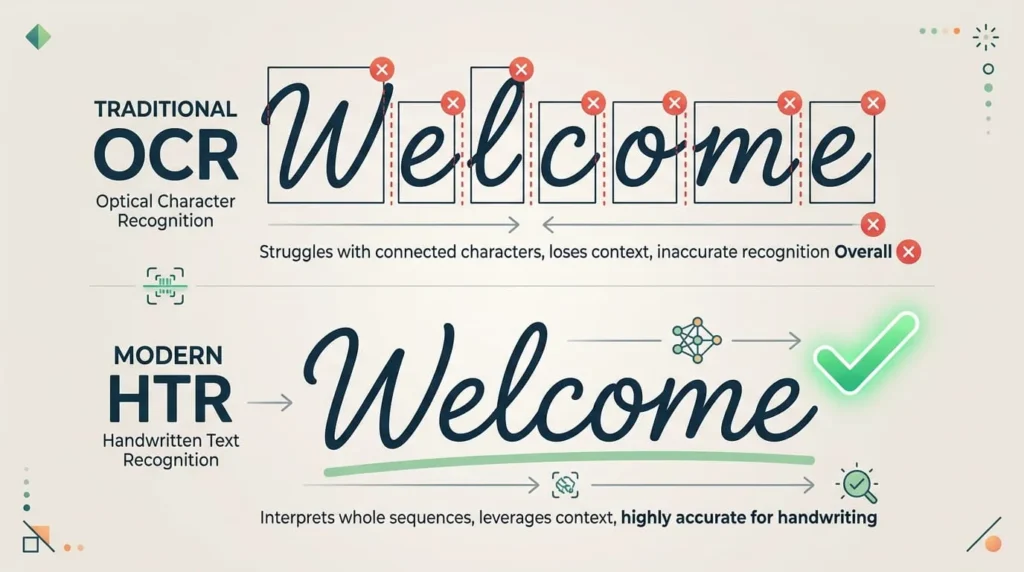
Traditional optical character recognition, or OCR, was built for printed text. It worked by isolating each character and comparing its shape to a library of known letterforms. That approach works fine for a printed page, where every letter is a separate, standardized shape.
Cursive breaks that model completely. Letters flow into each other with no clear gap between them. The same letter can even look different depending on what comes before and after it. Ask old style OCR to find the boundary between one cursive letter and the next, and it often guesses wrong. The result is a transcription full of typos and nonsense words.
How Modern AI Actually Reads Cursive
From Character Matching to Handwritten Text Recognition
The technology that changed everything is handwritten text recognition, known as HTR. Instead of isolating single characters, HTR analyzes an entire word or line as one continuous shape. This sidesteps the segmentation problem that broke older OCR. The system never has to decide exactly where one letter ends and the next begins.
Neural Networks That Read Lines, Not Letters
HTR systems rely on deep learning models trained on millions of handwriting samples. A visual layer extracts features like loops, slants, and stroke direction. A sequence model then reads those features in order and predicts the most likely word. Some tools still use recurrent architectures for this step. Newer systems increasingly rely on transformer based attention, similar to what powers many modern AI chatbots. Either way, the model is not searching for a perfect character match. It calculates the most probable sequence of letters, based on everything it has learned about how handwriting looks.
Context Is the Real Advantage
The biggest leap forward is context. A human reading a messy word in a sentence uses the surrounding words to figure out what it must say. Modern AI does the same thing. If a scrawled word could plausibly be “there” or “these,” the system leans on grammar and common word patterns. It picks whichever option fits the sentence better. This is why AI often reads a full sentence of cursive more accurately than it reads a single isolated word.
Can ChatGPT and Other AI Chatbots Read Cursive?
Generally, yes, especially the ones with image or vision support. Upload a photo of a handwritten note, and a vision capable chatbot can often produce a solid transcription in seconds. This works especially well on modern, legible handwriting. These tools were not built specifically for handwriting recognition, unlike dedicated HTR platforms. Their accuracy can be less consistent on messy or historical scripts as a result. For a quick, casual transcription, a vision capable chatbot is often the fastest option. For large batches of documents or anything requiring careful accuracy, a specialized handwriting tool will usually serve you better.
What Affects How Well AI Reads a Given Page
A handful of factors decide whether AI nails a page of cursive or stumbles over it. Handwriting consistency matters most. A writer who forms letters the same way every time is far easier to read than one whose style shifts. Image quality is close behind. Even lighting, a sharp focus, and a flat page make a bigger difference than most people expect. Shadows and glare confuse a model before it even starts reading letters. Vocabulary plays a role too, since common words are easier to predict than unusual names or invented spellings. Ink and paper condition matter as well. Faded text, bleed through, and water damage all reduce legibility for AI, the same way they do for a human reader. Finally, pages that mix printed labels with handwritten entries, like forms, can trip up a model. It may focus on the wrong part of the page. Language matters too. A model trained mostly on English cursive can struggle with cursive in other languages. Letterforms and common word patterns differ from one language to the next.
Modern Cursive vs Historical Cursive
Reading a modern grocery list is a very different task from reading a letter written two hundred years ago. AI treats them differently too. Contemporary cursive is relatively standardized, since most people learned similar letter shapes in school. That gives AI models a large, consistent body of training data to draw from.
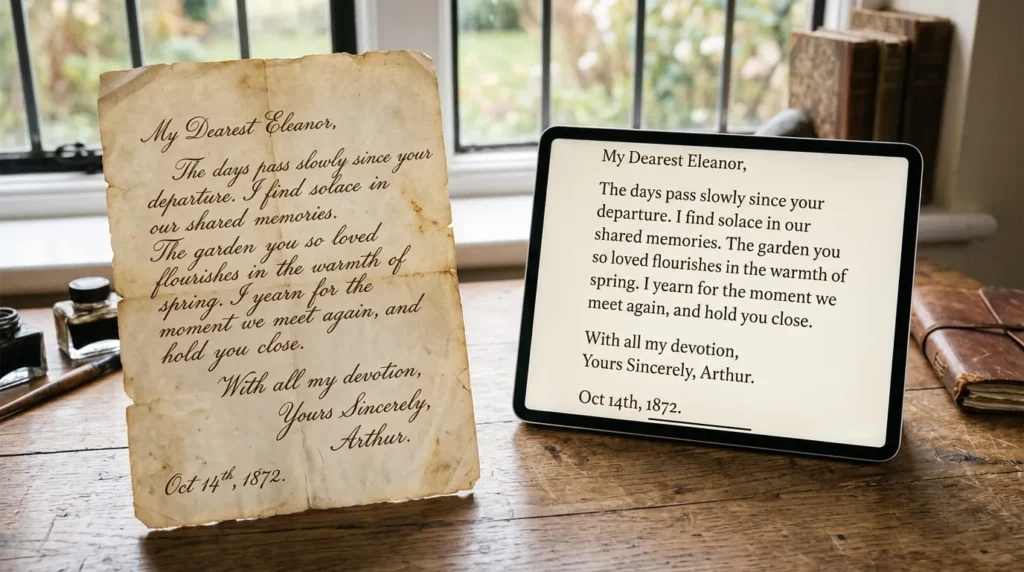
Historical handwriting is a separate challenge entirely. Older scripts often used letterforms, abbreviations, and spelling conventions that have fallen out of use. General purpose AI tools were never trained on them in depth. This is why specialized platforms exist just for historical document transcription. They are built on training data drawn from archives, letters, and records, rather than everyday modern writing. If you are transcribing a family letter from a century ago, use a tool built for historical handwriting. It will usually do better than a general purpose model.
How to Get Better Results When Scanning Cursive
A few habits make a real difference in transcription accuracy, regardless of which tool you use. Scan or photograph the page in even, natural light, and avoid letting shadows fall across the text. Keep the page as flat as possible, since curled edges distort the shape of letters near the margin. Use the highest resolution your camera or scanner allows. AI models pick up more detail from a sharp image than a compressed or blurry one. If the original document allows it, photograph individual pages rather than a full spread. A two page spread can confuse layout detection. Finally, try more than one tool if the first result looks rough. General purpose chatbots, dedicated handwriting OCR services, and historical transcription platforms all draw on different training data. One may read a specific hand better than another.

Where AI Still Gets Cursive Wrong
Cursive AI is impressive, but it is not infallible, and its blind spots are worth knowing. Extremely fast or inconsistent handwriting remains genuinely difficult, the kind most people would also struggle to read. Crossed out words, insertions squeezed between lines, and unusual abbreviations confuse most models too. Names, addresses, and numbers are a particular weak point. They do not follow the predictable language patterns that help AI guess correctly elsewhere in a sentence.
There is also a subtler risk worth knowing about. When an AI model is unsure of a word, it sometimes produces a smooth, plausible looking guess. It does this instead of flagging its own uncertainty. The output reads cleanly, which can make an error harder to catch than an obvious typo would be.
Should You Trust the Transcription?
Treat AI cursive transcription as a strong first draft, not a finished product, especially for anything with real consequences. For a casual note or an old family recipe, a quick glance to confirm the transcription looks right is usually enough. For legal documents, medical records, or financial paperwork, do more. Compare the AI output against the original text, line by line, before you rely on it. The technology saves enormous amounts of time. It is not yet accurate enough to skip verification on anything important.
The “Schools Stopped Teaching Cursive Because AI Can’t Read It” Myth
A popular claim online suggests that schools dropped cursive instruction specifically to prevent AI from reading students’ private writing. This is not accurate. Cursive instruction declined over roughly the past two decades mainly because curriculum time shifted toward keyboarding and digital literacy skills. That shift predates the AI tools discussed here by many years. Meanwhile, a number of school systems have reintroduced cursive instruction in recent years for reasons unrelated to AI. The reasons include handwriting development and reading historical documents. AI’s ability to read cursive is well established at this point. Writing something by hand is not a reliable way to keep it hidden from a capable transcription tool.
Practical Uses for Reading Cursive With AI Today
AI cursive reading has moved well past a novelty. Genealogists use it to work through old letters, census records, and family bibles far faster than manual transcription allows. Students and professionals use it to convert handwritten notes into searchable digital text. Archives and libraries use specialized platforms to make historical collections searchable. This helps researchers who could never read the original scripts themselves. Even everyday tasks, like digitizing a handwritten recipe card or a grandparent’s letters, have become realistic weekend projects. They are no longer painstaking, line by line work. This also helps younger readers who were never taught cursive in school. AI can convert a handwritten letter into type they can read directly. As the underlying models keep improving, the gap keeps narrowing. What AI can read and what a skilled human transcriber can read grow closer every year.