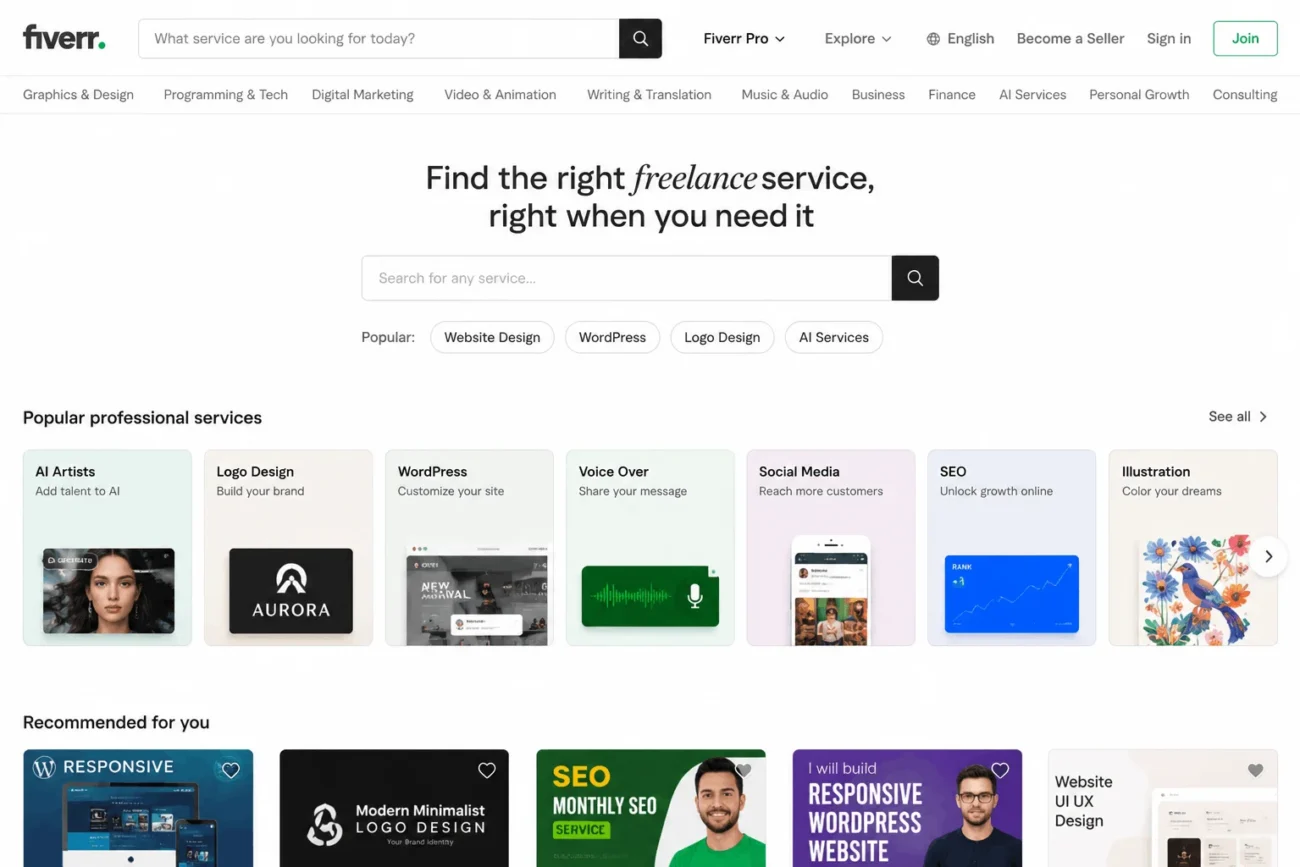
A Claude skills marketplace is a directory site where people browse, search, and download community-built SKILL.md files for Claude Code. None of the major ones are run by Anthropic itself; they index public GitHub repositories and organize them by category, creator, or occupation.
What a Claude Skill Actually is
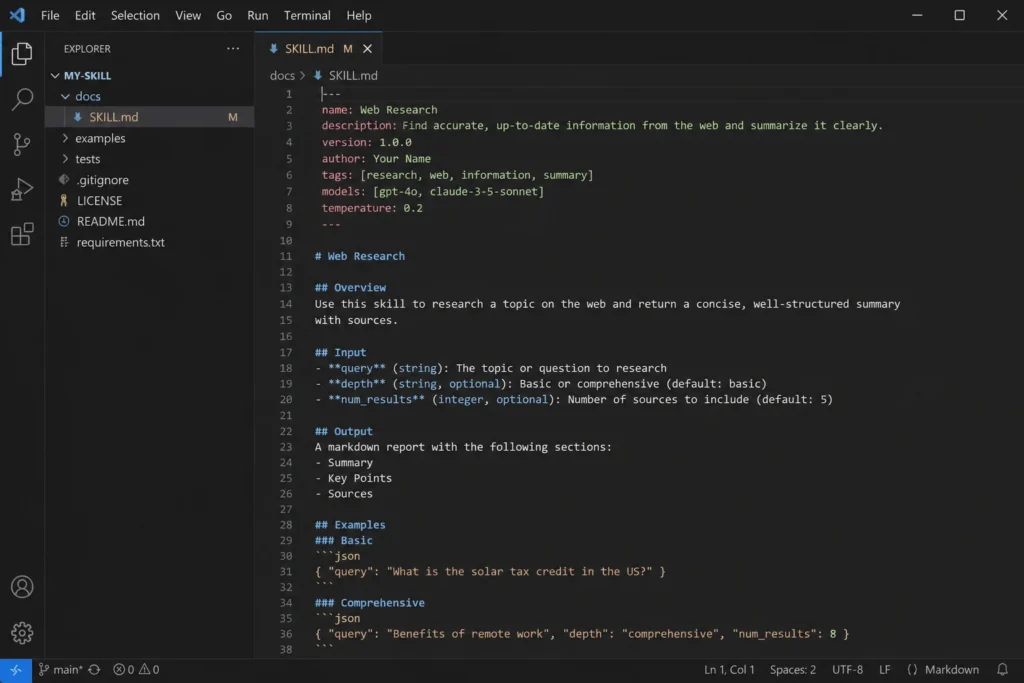
A skill is a folder with a SKILL.md file at its center, written instructions that extend what Claude can do inside Claude Code. The file’s YAML frontmatter tells Claude when to use it, and the markdown body underneath holds the actual instructions, checklist, or workflow.
Skills can also bundle supporting files: templates, example outputs, or scripts Claude runs directly. This matters because a skill’s body only loads into context when it’s actually invoked, unlike a CLAUDE.md file, which stays loaded the whole session. That makes skills a cheap way to store long reference material you only need occasionally.
Skills follow the Agent Skills open standard published at agentskills.io, which is why the same SKILL.md format works across different AI coding tools, not just Claude Code.
Where Claude Skills Marketplaces Fit in
Three independent sites illustrate how this ecosystem has grown. SkillsMP lists 2,213,455 collected SKILL.md files and organizes them across 23 major occupation groups and 867 specific job roles, alongside category tags like Tools, Development, and Data & AI. Claude Skills Hub (claudeskills.info) tracks 12,980+ skills and separates out 462 official skills published directly by Anthropic, plus collections from Microsoft, GitHub, and PostHog. A smaller site, Claude Skills Marketplace (claudeskillsmarket.com), takes a more curated approach with 37+ free community skills and added guides and courses for people learning to write their own.
1. Official Skills Versus Community Skills
Anthropic does publish and maintain its own skills, such as the docx, pdf, pptx, and frontend-design skills in the anthropics/skills GitHub repository, and these get mirrored into most marketplace listings. Everything else on these sites comes from individual developers or companies who published their own repository and let it get indexed. Claude Skills Hub, for instance, states outright that it is a third-party project and not affiliated with Anthropic, and SkillsMP carries the same disclosure. Read that as a reminder to check the source repository, not as a red flag by itself.
How to Evaluate a Skill Before Installing it
Treat a community skill the same way you would treat any dependency you’re about to pull into a project: read it before you run it.
Open the source repository, not just the marketplace listing. Check when it was last updated, how many stars or downloads it has, and whether the SKILL.md file actually matches its description. A skill claiming to do code review but written by a single contributor with no recent commits deserves a closer look than one maintained by a known engineering team.
Pay attention to the allowed-tools field in the frontmatter. This tells you which tools the skill can use without asking your permission first, things like running bash commands or writing files. A skill that grants itself broad shell access for a task that should only need to read text is worth questioning before you add it to a real project.
1. Installing a skill safely
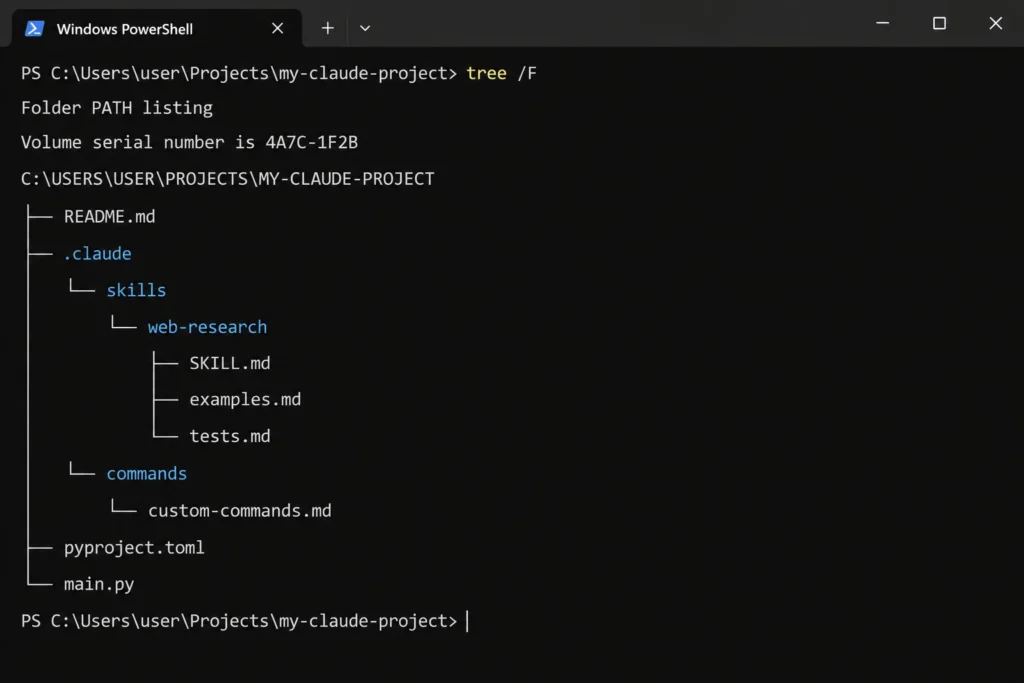
Installation on most of these marketplaces means the same thing: copy the skill folder into your Claude Code skills directory. Personal skills go in ~/.claude/skills/<skill-name>/, available across every project you work on. Project skills go in .claude/skills/<skill-name>/ inside a specific repository, so they only apply there and can be committed to version control for teammates to share.
Start new or unfamiliar skills at the project level first. That keeps a skill’s reach limited to one codebase while you confirm it behaves the way its description claims, before deciding whether it’s worth promoting to your personal skills folder.
Building Versus Browsing
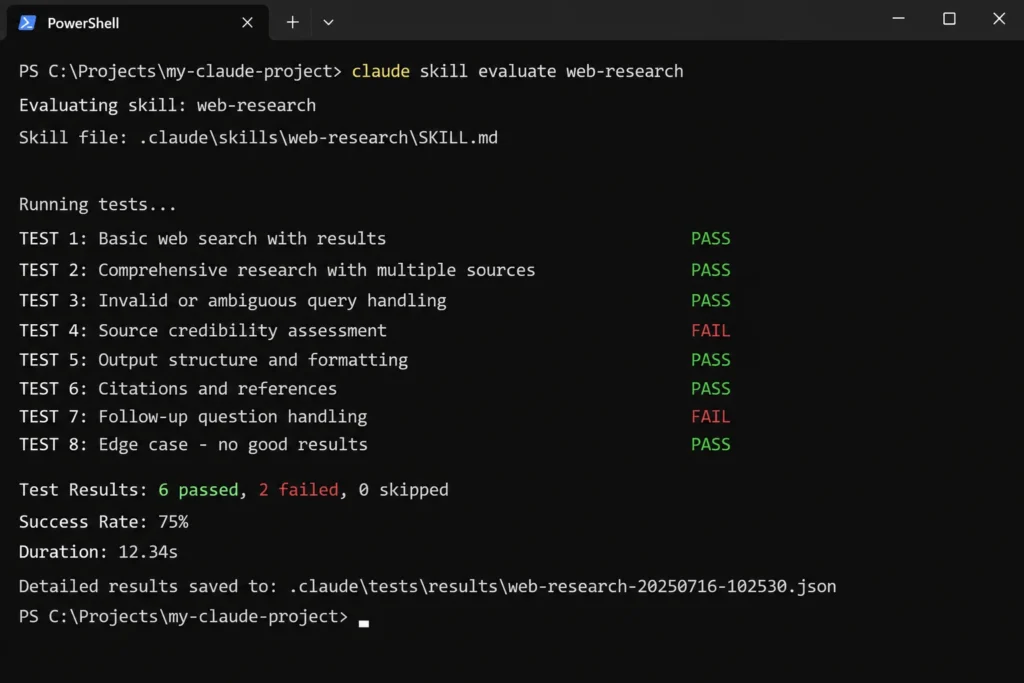
Not every workflow needs a marketplace download. If you keep pasting the same multi-step instructions into Claude Code, that repetition is usually a sign you should write your own skill rather than search for one. Anthropic’s skill-creator tool walks through that process, including running evaluations that compare Claude’s output with and without the skill enabled, so you can confirm a new skill actually improves results before you rely on it.
Marketplaces earn their place for the opposite case: a task common enough that someone else has already solved it well; testing frameworks, document generation, or design-system guidelines are typical examples where reusing a maintained skill saves real time over writing one from scratch.
Frequently Asked Questions
1. Is there an official Claude skills marketplace run by Anthropic?
No single site fills that role. Anthropic publishes and maintains its own skills in a public GitHub repository, and third-party sites such as SkillsMP and Claude Skills Hub index that repository alongside thousands of community-built skills, but Anthropic doesn’t operate a marketplace itself.
2. Are skills from a marketplace safe to install?
Not automatically. These sites index public GitHub code without certifying its safety or quality, so treat every download like open-source code you’re about to run: read the SKILL.md, check the allowed-tools permissions, and look at the repository’s update history before installing.
3. Do Claude skills cost money?
Most skills listed across these marketplaces are free and open source under licenses like Apache 2.0. Some creators bundle paid courses or premium skill packs, so check the license and pricing details on the individual skill’s page before assuming it’s free.
4. Can I use the same skill in other AI coding tools, not just Claude Code?
Often yes, because skills follow the Agent Skills open standard rather than a Claude-only format. Compatibility still depends on the specific tool, so check whether your other assistant explicitly supports SKILL.md files before assuming a skill will transfer over.
5. How do I know if a skill will actually trigger when I need it?
Claude Code decides whether to load a skill based on how closely your request matches its description field. If a skill never seems to activate, try invoking it directly with /skill-name, or check its description for the keywords you’d naturally use when asking for that task.