
Choosing resource management software is less about finding the tool with the most features. It’s about matching software to how your team actually plans work. If you run a five person design studio, you probably just need to see who is free on Thursday. A heavy enterprise platform will slow you down instead of helping.
If you run a 200 person engineering organization, the calculus changes. You likely have multiple concurrent projects, skills that need precise matching, and forecasts finance actually relies on. A lightweight scheduling app will not hold up under that weight.
This guide walks through what resource management software actually does. It covers the features worth paying for, how the leading tools differ, and how to pick the right fit for your team.
What Resource Management Software Actually Does
Resource management software gives you a live picture of who is working on what. It shows how much capacity each person has left and where a project is likely to hit a staffing gap. At its core, it solves three connected problems.
Capacity tells you how much work your team can realistically take on in a given week. Allocation matches specific people to specific tasks based on availability and skill. Forecasting projects what staffing needs will look like months ahead, based on confirmed and probable work.
Most teams adopt resource management software after outgrowing a shared spreadsheet. Spreadsheets break down once more than a handful of people update them at the same time. They also cannot flag a scheduling conflict before it happens. Purpose built software catches double bookings, surfaces underused team members, and updates in real time as plans shift.
Core Features Worth Prioritizing
Not every resource management platform needs every feature on this list. Match it against how your team actually works before you sign a contract.
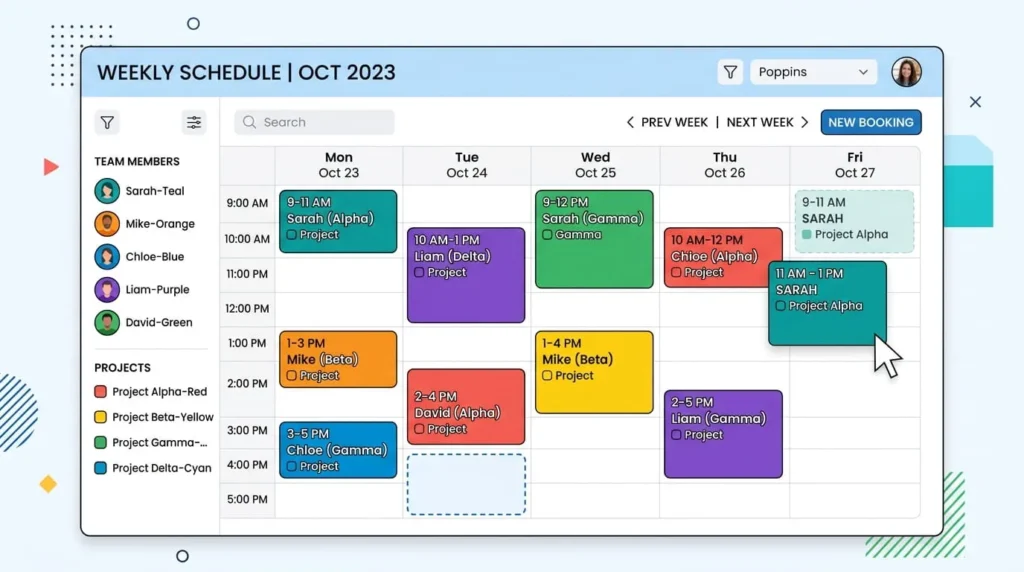
Visual scheduling shows every person’s bookings on a calendar or timeline, so you can drag assignments around and spot conflicts early.
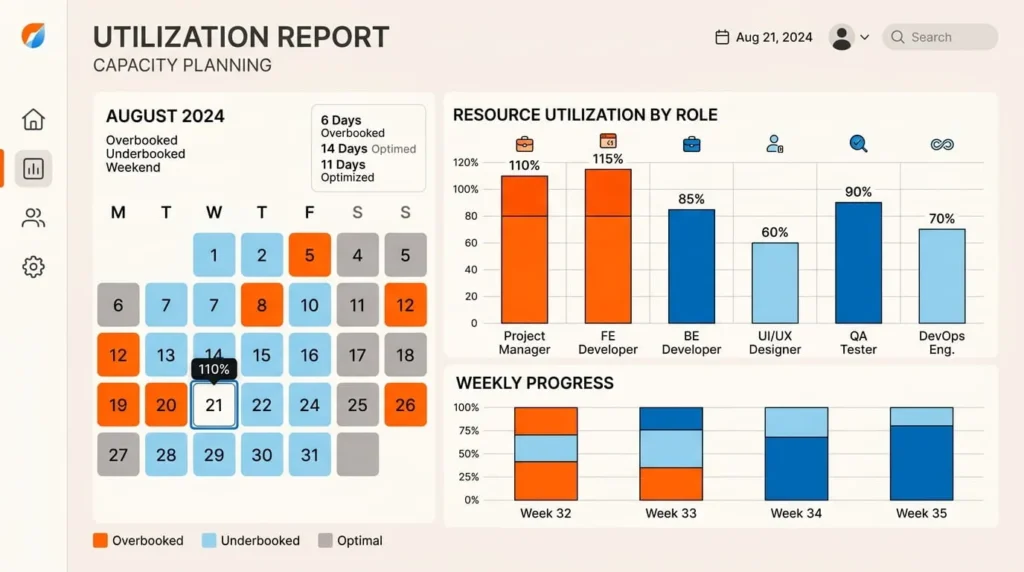
Capacity and utilization reporting shows how much of each person’s time is booked versus available, so you can rebalance work before someone burns out.
Skills and role matching lets you tag people by skill or seniority, then filter for who is both available and qualified for the work.
Forecasting and scenario planning lets you model a hiring decision or a new project before you commit resources to it.
Budget and financial tracking gives visibility into billable hours, project margins, and cost against budget. This matters most for agencies and firms that bill by the hour.
Integrations connect the calendar, time tracking, and project tools your team already uses, so nobody enters the same data twice.
The fewer features a tool has, the faster your team will adopt it. The more features it has, the more precisely it can plan. Weigh that tradeoff honestly before you buy.
The Best Resource Management Software by Team Type
The tools below move from lightweight scheduling to full enterprise platforms. Pricing and plans change often, so confirm current rates directly with each vendor.
1: Float
Float is built around a clean, visual timeline showing every person’s bookings, time off, and availability. It works well for small to mid sized teams that need clear scheduling plus basic budget tracking. Float also compares planned hours against actual time logged, which helps catch scope creep before it eats into margin. Teams that need deep skills matching or multi year forecasting will likely outgrow it.
2: Resource Guru
Resource Guru focuses on one job: booking people, rooms, and equipment without double booking anything. Its clash management flags conflicts the moment they happen. The interface is simple enough that new hires need almost no onboarding. It suits agencies and service teams that want fast, accurate scheduling over deep forecasting. Larger organizations with complex resourcing needs usually need more depth than it offers alone.
3: Runn
Runn pairs resource scheduling with forecasting and project financials in one view. You can see staffing plans and revenue projections side by side. It fits consulting and professional services firms that track billable utilization alongside capacity. Scenario planning tools let you test a hiring decision before committing resources to it. Runn suits teams that already have a resourcing process and want financial visibility layered on top.
4: Kantata
Kantata is a professional services automation platform, so resource management sits alongside project delivery, time tracking, and profitability reporting. It fits agencies and consulting firms that want staffing tied directly to margin and client billing. Its Salesforce integration is a common reason sales heavy services firms choose it. Kantata carries more setup and cost than a standalone scheduling tool, so it fits teams that have outgrown lighter options.
5: Saviom
Saviom is built for large organizations managing resources across multiple business units or long term programs. It handles multidimensional scheduling, demand forecasting, and skills based allocation at a scale most tools do not attempt. Configuration takes real effort, and it is not the right choice for a small team that just needs a shared calendar. For enterprise resourcing across hundreds of people, it is one of the most capable platforms available.
6: Smartsheet
Smartsheet works like a spreadsheet with project and resourcing tools layered on top. That makes it an easy transition for teams already planning in rows and columns. It handles portfolio level resource planning across many concurrent projects reasonably well. Reporting and automation add real capacity insight once the sheets are set up correctly. Teams that want a purpose built scheduling interface may prefer Float or Resource Guru instead.
7: Wrike
Wrike is a broader work management platform with resource allocation and workload charts built into a larger project system. It suits mid sized to large teams that want resourcing and task execution in one tool. The workload view shows who is over or under booked across every active project. Teams whose main need is dedicated resource forecasting may still want a specialist tool alongside Wrike.
How to Choose the Right Tool for Your Team
Start with team size and complexity rather than a feature checklist. A ten person team scheduling straightforward work rarely needs enterprise forecasting. A 200 person services firm will outgrow a simple booking calendar within a year.
Next, decide whether financial tracking matters. Agencies that bill by the hour need utilization and margin reporting built in, not bolted on later. Internal teams that do not bill clients can usually skip this and prioritize scheduling clarity.
Check how the tool handles skills and roles. If work depends on matching the right expertise to the right project, real skills tagging saves time a generic calendar cannot.
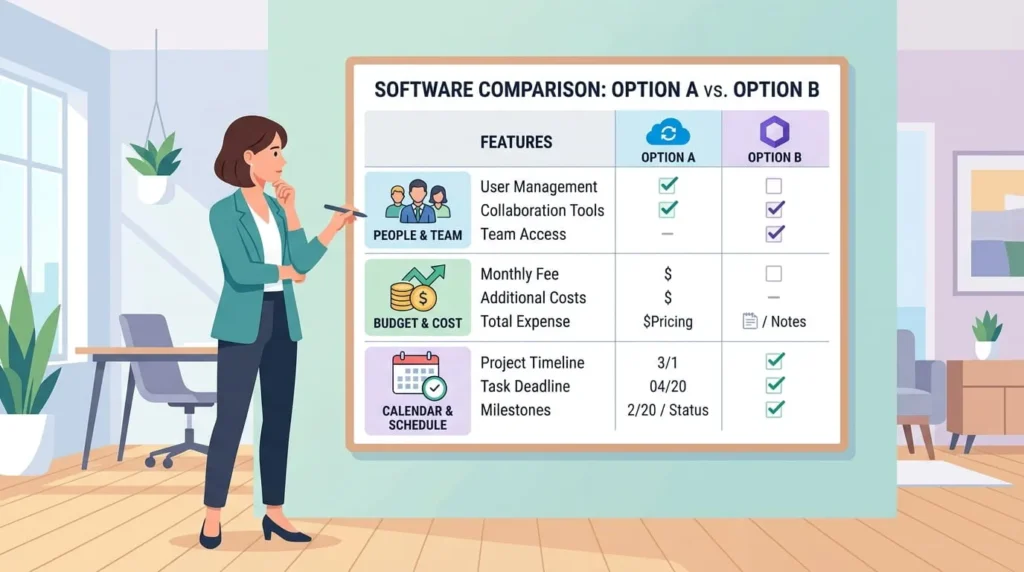
Finally, test the tool with your actual team before signing a contract. A resource management platform only works if people update it consistently. If the interface is confusing or setup takes weeks, adoption stalls no matter how strong the feature list looks. Most vendors offer a free trial, and running one real project through it tells you more than any comparison table.
The right resource management software depends less on which platform ranks highest. It depends more on how closely it matches your team’s size, billing model, and planning horizon. A small studio and a multi office consulting firm are solving different problems, even though both call it resource management. Start with the feature list that matches your actual workflow. Trial the top two or three candidates with real projects, and let day to day usability decide the winner.