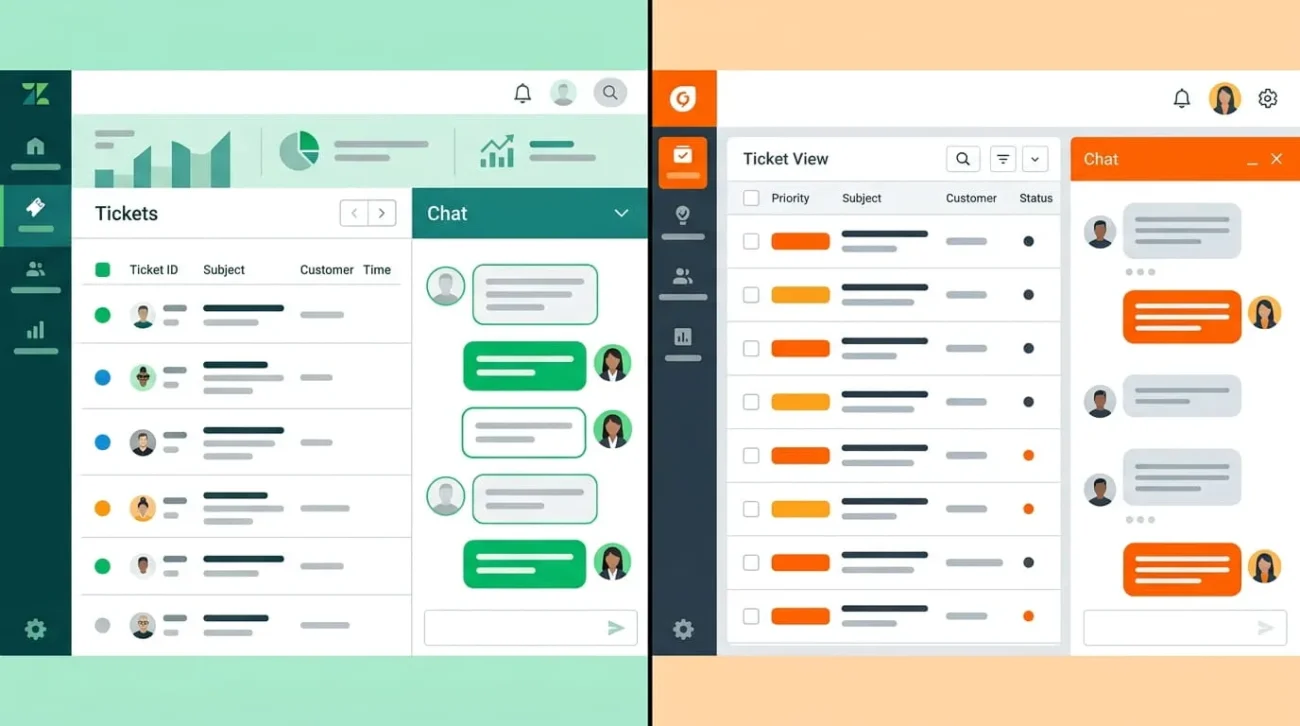
Choosing between Zendesk and Freshdesk usually comes down to one question. Do you need deep customization, or do you need agents working fast? Zendesk is built for teams that expect to grow into complex, multi-channel operations. Freshdesk is built for teams that want a working help desk within a day, without a steep learning curve. Both handle the basics well: tickets, a knowledge base, live chat, and AI-assisted replies. The differences show up in pricing structure, setup time, and how far each platform can scale before you hit a wall. This guide breaks down where each product genuinely wins.
Zendesk vs Freshdesk at a Glance
Zendesk and Freshdesk solve the same core problem. They help support teams track, route, and resolve customer tickets. The split shows up in depth versus simplicity.
Zendesk favors teams that need advanced routing, granular permissions, and reporting that can be sliced any way an admin wants. Freshdesk favors teams that want a clean interface, a shorter onboarding period, and predictable pricing at the entry level.
Neither platform is objectively better. The right pick depends on your team size, technical resources, and how many channels you support today versus next year.
What Zendesk and Freshdesk Actually Are
Zendesk launched in 2007 and built its reputation as the enterprise standard for customer service software. It grew through acquisitions, which is part of why its product line spans multiple modules: Support, Guide, Talk, Chat, and Explore, now packaged mostly under the Suite plans.
Freshdesk launched in 2010 as a more affordable alternative to Zendesk. It’s part of Freshworks, and it still carries that positioning today: simpler setup, a friendlier price at the entry tier, and an all-in-one feel rather than a stack of separate modules.
Pricing Compared: What You’ll Actually Pay
This is where the two products genuinely diverge, and where the sticker price rarely matches the final bill.
Zendesk Pricing
Zendesk’s entry plan, Support Team, costs $19 per agent per month on annual billing. It covers ticketing and email only, with no live chat or voice.
Most teams actually need the Suite plans instead. Suite Team runs $55 per agent per month. Suite Professional, the most popular tier, jumps to $115 per agent per month and adds skills-based routing and IVR. Suite Enterprise moves to custom, sales-negotiated pricing.
Zendesk deprecated its standalone Professional and Enterprise Support tiers in 2025, folding those price points into Suite instead. If you’re comparing against an older article or quote, that number may already be stale.
AI Copilot is a separate add-on at $50 per agent per month. AI Agent resolutions beyond your plan’s free allowance are billed per resolution, typically $1.20 to $2 each. That per-resolution meter is easy to underestimate until your first invoice.
Freshdesk Pricing
Freshdesk’s Growth plan starts at $19 per agent per month, matching Zendesk’s entry price but including more out of the box. Pro costs $55 per agent per month, and Enterprise runs $89.
A free plan exists for one to two agents, though it’s limited to six months before you need to upgrade.
Freddy AI Copilot costs an additional $29 per agent per month, cheaper than Zendesk’s equivalent. AI Agent sessions for customer-facing bots are sold in packs, commonly around $49 per 100 sessions.
If your team needs channels beyond email, such as chat, SMS, or social, you’ll likely need Freshdesk Omni instead of the base ticketing product. Omni pricing runs higher at every tier.
The Costs Neither Vendor Leads With
Both companies advertise a clean per-agent number, then layer add-ons on top. For example, a 15-agent team on Zendesk Suite Professional pays about $1,725 a month in seats alone, before Copilot or AI resolutions. The same 15 agents on Freshdesk Pro run about $825 a month, before Freddy AI Copilot.
Freshdesk’s Omni versus Support Desk split creates a similar trap: teams price out ticketing, then discover chat and voice sit in a pricier product. Before signing with either vendor, price out your actual channel mix and expected AI usage, not just the seat count.

Ease of Use and Setup Time
Freshdesk is the faster platform to stand up. Its interface groups settings logically, and most teams can configure ticket forms, SLAs, and basic automations within a few days.
Zendesk rewards a bigger time investment. Its flexibility means more configuration decisions up front, and a real Suite rollout with routing rules and multiple brands often takes several weeks. Teams that skip this setup phase tend to underuse the platform and question why they’re paying for depth they never activate.
If you have a dedicated admin or a partner handling implementation, Zendesk’s learning curve matters less. If support is one of several hats your team wears, Freshdesk’s shorter ramp-up is a real advantage.
Ticketing and Omnichannel Support
Both platforms handle the standard ticketing workflow: intake, assignment, SLA tracking, and resolution. The difference is in how unified that experience feels.
Zendesk pulls email, chat, phone, and social messages into a single agent timeline, so context doesn’t get lost between channels. Freshdesk covers the same channels but through Freshdesk Omni, which some agents experience as separate tabs rather than one continuous thread.
For high-volume, multi-channel support where agents constantly switch between conversations, Zendesk’s unified view tends to save time. For teams mostly running email and occasional chat, Freshdesk’s approach works fine without the added cost of a fully unified inbox.
AI and Automation Compared
Both vendors have pushed hard into AI over the past two years, and both now bill for it separately from your base seat.
Zendesk’s AI stack includes AI Agents for autonomous resolution, Copilot for agent-facing suggestions, and intelligent routing built on a large volume of enterprise ticket data. Zendesk also acquired Forethought in 2026, folding its self-improving agent technology into the roadmap. The depth is real, but so is the learning curve and the per-resolution cost once you scale past your included allowance.
Freddy AI, Freshdesk’s equivalent, handles ticket classification, suggested replies, sentiment analysis, and basic autonomous resolution. It’s less deep than Zendesk’s AI Agents, but it’s faster to configure and generally cheaper per seat. Neither platform’s AI fully replaces an agent for complex or emotionally sensitive tickets.

Reporting and Analytics
Zendesk’s reporting, built on Explore, gives admins granular, custom analysis down to individual fields and conditions. That flexibility is valuable for workforce planning and quality assurance at scale, but building custom reports takes real effort.
Freshdesk ships with pre-built dashboards covering ticket volume, response time, and CSAT out of the box. They’re easier to read on day one, though less adaptable if your reporting needs get specific.
Integrations and Ecosystem
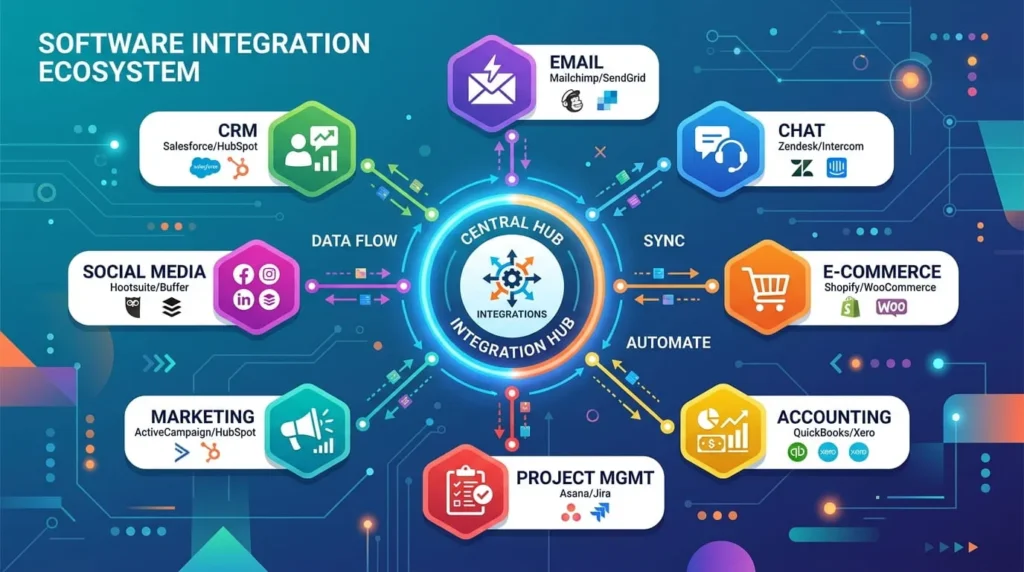
Zendesk supports around 1,200 marketplace apps, with strong bidirectional connectors for large enterprise systems like Salesforce and ServiceNow. Freshdesk offers more than 1,000 integrations, weighted toward small and mid-market tools with simpler setup.
For most small and mid-sized teams, both marketplaces cover the essentials: CRM sync, e-commerce platforms, and common communication tools. The gap widens for enterprises connecting several complex internal systems, where Zendesk’s deeper connectors carry more weight.
Which One Should You Choose
Choose Zendesk If
Choose Zendesk if you’re running a larger support team, need advanced routing across multiple brands, or expect to scale into a full contact center. It’s also the stronger pick if a dedicated admin will own configuration and reporting long term.
Choose Freshdesk If
Choose Freshdesk if you want to be live within days, not weeks, and your channel needs are mostly email with some chat. It’s also the better entry point on price if your team is under 15 agents and budget matters more than granular customization.
When Neither Fits
Very small teams, under three agents, often do better with a lighter, cheaper tool built for that scale. Heavily regulated industries with strict compliance needs should also evaluate specialized platforms before committing to either option.