
Airtable vs Notion is one of the most common software debates in project management, and most comparisons miss the real distinction. Airtable is a spreadsheet that grew into a relational database, built for teams who need structured records, linked data, and repeatable workflows. Notion is a writing surface that grew into a workspace, built for teams who think in documents and knowledge first. Picking between them by feature checklist alone misses the point, because the right answer depends on whether your work starts as data or starts as text. This guide breaks down where each tool wins, where each one struggles, and which one fits how your team actually operates.
Airtable vs Notion: the core difference
Every meaningful difference between these two tools traces back to one architectural choice. Airtable organizes everything into bases, tables, records, and fields, the same logic as a database, just easier to use than SQL. You link records across tables, build formulas, and roll up data automatically. Notion organizes everything into pages made of blocks. A block can be a paragraph, an image, a checklist, or an embedded database. Pages nest inside other pages, so a single workspace can hold an entire company wiki.
Airtable treats structured data as the main event. Notion treats structured data as one ingredient inside a larger document. Neither approach is wrong, but the mismatch is where most teams get frustrated after picking the tool that doesn’t match how they actually work.
That distinction also explains why the two tools rarely get compared on equal footing in real usage. A team that forces Notion to behave like a relational database usually hits a wall once they need to link more than two or three tables together. A team that forces Airtable to hold long-form documentation usually ends up with walls of text crammed into a single field, which defeats the point of a database in the first place.
What Airtable does best
Airtable earns its strongest results with teams that manage structured, repeatable data. A marketing team can track campaigns in one table, link each campaign to contacts in another, and pull performance numbers into a rollup field automatically. That cross-table logic is where Airtable pulls ahead of both Notion and a traditional spreadsheet.
Airtable also gives you more ways to view the same underlying data. Grid, kanban, calendar, gallery, and form views all pull from the same base, so a sales rep can work a kanban board while a manager reviews the same records in a grid. The form view has no real equivalent inside Notion, and it matters if you collect structured submissions from clients or team members. Automations also sit closer to the data layer, so a status change in one table can update a linked record the moment it happens.
This is why Airtable shows up so often behind the scenes of CRMs, inventory trackers, content calendars, and production schedules. Any workflow where one record needs to reference another, and where that connection needs to stay accurate as data changes, plays to Airtable’s strength.
What Notion does best
Notion is built for teams that document more than they tabulate. Meeting notes, onboarding guides, product specs, and company wikis all live naturally inside pages that nest as deep as the content requires. A single Notion workspace can hold a handbook, a roadmap, and a personal task list without feeling like three separate tools bolted together.
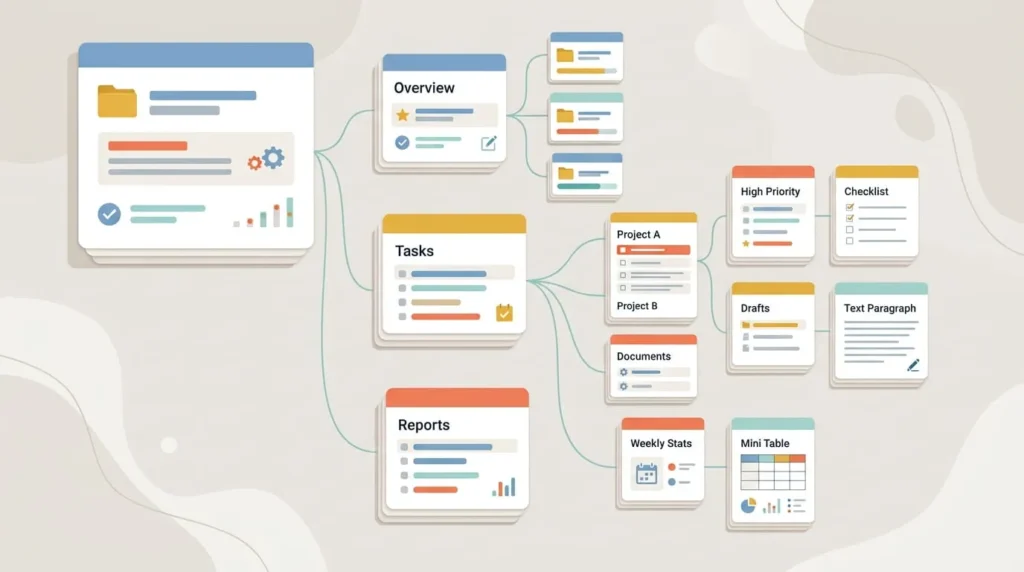
The block system makes this possible. Text, images, embeds, and database blocks sit side by side on the same page, so context never gets separated from the data describing it. A database block inside Notion can function like a small Airtable base, complete with filters and views, but it stays anchored to the document around it. Notion also has one of the most active template communities in productivity software, which shortens setup time for almost any use case.
Comments and mentions work at the page and block level, so feedback stays attached to the exact paragraph or task it refers to. That makes Notion a natural fit for teams that write together as much as they plan together, like content teams reviewing drafts or operations teams building out a shared handbook.
Automation, integrations, and AI features
Automation depth is one of the clearest splits between the two tools. Airtable’s automation engine works natively inside the base, so a status change in one table can update a linked record, send a notification, or trigger a webhook without leaving the app. Airtable’s AI fields add another layer, summarizing, categorizing, or drafting text directly at the record level, which keeps automation tied to structured data.
Notion’s automation options lean on outside tools like Zapier or Make rather than a deep native engine. What Notion offers natively is Notion AI, an add-on built for writing, summarizing pages, and rephrasing content, which fits its document-first design.
If your workflow depends on data moving between systems without manual triggers, Airtable’s native automation saves more hours over time. If your workflow depends on generating and refining written content, Notion AI is the better fit for daily use. Teams that need both often connect the two tools directly rather than forcing one to do the other’s job.
Pricing structure
Pricing follows a consistent pattern across both tools. Free plans exist for individuals and small teams, but they cap out quickly on automation runs, record counts, or file storage. Paid plans scale per user per month, and Notion’s mid-tier plans typically cost less than Airtable’s equivalent tier, though the gap narrows at the enterprise level where both require a sales conversation.
The bigger cost driver usually isn’t the sticker price, it’s usage. Airtable’s per-base record limits and automation run limits can force an upgrade faster than expected on data-heavy workflows. Notion’s limits tend to show up more in file upload size and guest access on lower tiers. Before committing to either tool, map your actual usage against each plan’s limits rather than comparing list prices alone.
Both tools also charge less per seat on annual billing than monthly billing, and both offer discounted or free access for education and nonprofit use. Guest access is worth checking closely too, since the number of free external collaborators varies by plan and can quietly shape which tier you actually need.
Ease of use and learning curve
Notion is easier to start with and harder to master. A new user can create a page and start typing within minutes, but building a well-organized workspace with linked databases takes real planning as content grows.
Airtable works the opposite way. The grid interface feels familiar to anyone who has used a spreadsheet, but understanding linked records, lookups, and rollups takes longer than most new users expect. Teams that skip this learning curve often end up with bases that behave like flat spreadsheets and never use Airtable’s actual strength.
Neither tool rewards a rushed setup. The teams that get the most value are the ones who plan their structure before entering real data, even if that just means sketching out tables or page hierarchies on paper first.
Which tool fits your team
The comparison above matters less than matching the tool to how your team actually works day to day. Here is how that plays out across common roles.
Project managers and operations teams
Airtable usually wins here because project tracking depends on linked data, such as tasks connected to clients, budgets connected to projects, and status changes that need to cascade automatically. The form view also helps when intake requests come from outside the immediate team.
Marketing and content teams
This split depends on the specific work. Content calendars, campaign tracking, and asset libraries favor Airtable. Brand guidelines, content briefs, and long-form planning documents favor Notion. Many marketing teams end up running both, with Notion holding the strategy and Airtable holding the execution data.
Solo founders and freelancers
Notion tends to fit better here because a single person usually needs one flexible space for notes, tasks, and light client tracking, not a full relational database. Airtable becomes worth the setup time once you’re managing multiple clients with recurring, structured data like invoices or project stages.
Engineering and technical teams
Airtable’s API and structured data model make it easier to pull into other systems, which matters for teams building internal tools on top of their data. Notion works well for technical documentation and specs, but it isn’t built to be queried like a database.

Using Airtable and Notion together
Choosing one tool doesn’t have to mean abandoning the other. A common pattern has Notion holding documentation, onboarding, and internal wikis, while Airtable holds the structured data behind client work, inventory, or production schedules. Teams that go this route usually connect the two through a syncing tool or a shared reference system, so a project page in Notion links out to the matching record in Airtable instead of duplicating the same data in both places. This works best when each tool sticks to what it does natively rather than trying to replicate the other’s structure. Trying to mirror an entire Airtable base inside Notion, or an entire wiki inside Airtable, usually creates more upkeep than it saves.
The bottom line
If your work starts with data, structured records, and repeatable processes, Airtable is the stronger long-term choice. If your work starts with writing, planning, and knowledge that needs context around it, Notion fits better. Teams that need both should stop looking for one tool to replace the other and instead assign each tool the job it was actually built for. Test both with a real workflow from your own team, not a sample template, before deciding. That’s the only way to know which one earns a permanent place in your stack.