
Chatbot vs live chat is the question most businesses land on once website enquiries start arriving faster than the team can answer them. A chatbot replies straight away using rules or AI, while live chat puts a real person on the other end of the conversation. Neither replaces the other completely, and the right mix depends on what customers are actually asking.
What Is a Chatbot
1:Rule-Based vs AI Chatbots
A rule-based bot with only ten scripted answers will frustrate anyone whose question falls outside that list. An AI-powered bot trained on the company’s actual policies and product data can handle a wider range of phrasing without breaking down. Either type only works well if it was set up properly in the first place.
2:Where Businesses Use Chatbots
Tools such as Intercom, Drift, and Tidio are common choices for websites because they connect directly to a company’s product pages, order system, or knowledge base. A well-set-up chatbot can check an order status, book a slot, or answer a returns question without anyone on the support team getting involved. Many chatbots now sit on WhatsApp or Facebook Messenger as well as the website itself, since a lot of shoppers message a business the same way they message friends
3:What Is Live Chat
Live chat is a messaging window on a website or app that connects a visitor to a human agent. The agent types the reply themselves, so the conversation can move in directions a script never planned for. Zendesk, Freshdesk, and LiveChat are widely used by retailers and service businesses for this reason.
4:How Live Chat Software Works
Live chat still runs through software, so replies can include saved snippets or quick links to policies. The difference from a chatbot is that a person reads the message and decides what to say back. A system matching a pre-set answer is not making that judgement call at all. Agents typically manage two or three chats at once, which helps quality hold up better than a phone queue would.
5:Proactive Chat Prompts
Many live chat tools also let a business trigger a proactive message, such as offering help after a visitor has sat on a checkout page for a minute without buying. That kind of prompt still needs a human on the other end once the visitor replies, which is what separates it from a chatbot doing the same trigger.
Chatbot vs Live Chat: Main Differences
The clearest way to compare chatbot vs live chat is to look at what each one is actually built to do. A chatbot handles volume and speed well. Live chat handles judgement and nuance well. The table below sets out where the two diverge.
| Factor | Chatbot | Live Chat |
| Response time | Instant, no queue | Depends on agent availability |
| Cost pattern | Fairly flat after setup | Scales with team size |
| Availability | Around the clock | Limited to staffed hours |
| Best suited to | Repeat, simple questions | Complex or sensitive queries |
| Tone | Consistent, scripted | Personal, adapts to context |
1:Response Speed
A chatbot replies within seconds, at any hour, because there is no queue to join. Live chat replies depend on how many agents are online and how many conversations they are already handling. During an evening or a public holiday, a chatbot may be the only channel actually responding.
2:Cost
Chatbot software usually runs on a monthly subscription that does not change much as conversation volume grows. Live chat costs scale with the size of the support team, since more agents are needed to keep response times reasonable as enquiries increase. A small business with two support staff will find live chat far more expensive per conversation than a mid-sized chatbot subscription.
3:Availability
A chatbot does not take holiday, get unwell, or need a lunch break, so it can cover enquiries overnight or over a weekend. Live chat is only available when someone is logged in and free to answer, unless a company pays for an outsourced or offshore team to extend the hours.
4:Handling Complex Queries
A chatbot struggles once a question moves outside its training data or decision tree. It can point to a help article or offer to escalate, but it cannot negotiate a refund exception or read frustration in someone’s wording. Live chat handles that kind of query well because a person is thinking about the specific situation, not matching it against a script.
Matching the Channel to the Use Case
When a Chatbot Makes Sense
A chatbot fits well when most enquiries repeat themselves. Order tracking, opening hours, delivery costs, and password resets are questions a bot can answer accurately every time without a person retyping the same reply. It also suits businesses that get traffic outside normal office hours, since visitors browsing late at night or from a different time zone still get an answer.
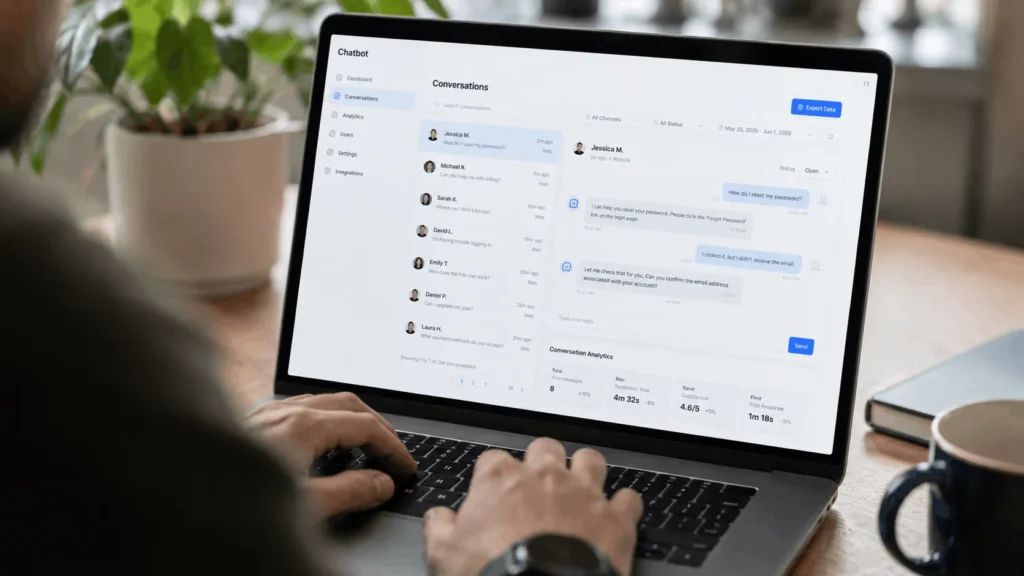
When Live Chat Makes Sense
Live chat fits better when the questions are varied, sensitive, or tied to money. A customer asking about a delayed medical order, a billing dispute, or a bespoke quote wants to know a person is actually reading their message. It also works well for sales conversations, where a human can pick up on hesitation and answer the specific objection a shopper actually has. A bot tends to fall back on a generic answer instead.
Using Chatbot and Live Chat Together
Handing Off From Bot to Agent
The chatbot takes the first message, answers what it can, and hands the conversation to a live agent the moment it meets a question it cannot resolve. This keeps simple queries off the team’s plate while making sure no one gets stuck talking to a bot about something it was never built to handle
A Practical Example
A furniture retailer might use a chatbot to confirm stock levels and estimated delivery dates, then route anything about a damaged item straight to a live agent. The split keeps response times fast for easy questions and keeps a person involved wherever judgement is actually needed.

Data Protection and Compliance Considerations
Both channels collect personal data the moment a customer types a name, order number, or email address into the chat window.
GDPR and Automated Decisions
Under GDPR-style data protection rules, chat data needs a lawful basis for processing, and customers should be told how it is stored and for how long. It is worth checking data protection guidance on AI and automated decision-making before a chatbot is set up to make decisions about a customer, such as approving a refund automatically.
Chat Transcripts and Privacy Notices
Live chat carries the same obligations, since transcripts are often saved for training or dispute records. A business using either channel should have a privacy notice that covers chat data specifically, not just general website cookies.
[
What Customers Expect From Chat Support
Shoppers tend to accept a chatbot for straightforward questions but expect a quick route to a person once things get more involved.
Labelling Bots Clearly
A chatbot that keeps looping the same answers without offering a human tends to push people towards leaving the site or phoning instead. Labelling the bot clearly as automated also matters, since a customer who realises partway through that they were not talking to a person can feel misled if it was not obvious from the start.
Making the Handover Visible
Trust builds fastest when the handover between the two channels is visible. A message such as “I’ll connect you with a member of the team who can help with that” reassures the customer that the conversation has actually moved forward. A chat that just goes quiet and vanishes into a queue with no explanation leaves the opposite impression.
How to Choose Between Chatbot and Live Chat
A practical way to decide is to weigh up ticket volume and budget together, instead of picking a channel on instinct.
Match the Channel to Ticket Volume
A business handling under fifty enquiries a day with one or two support staff often does fine with live chat alone, since the volume does not justify the setup time a chatbot needs. Once daily enquiries move into the hundreds, or the team cannot realistically staff evenings and weekends, a chatbot starts to earn its keep by absorbing the repeat questions.
Factor In Budget and Testing
A chatbot needs setup time to write the decision tree or train the AI on the company’s own information, which costs hours even when the software itself is cheap. Live chat needs ongoing staff cost that grows with the business. Testing both on a smaller scale, such as running a chatbot for order-status questions only, is a reasonable way to see which one earns its place before committing to a full rollout.