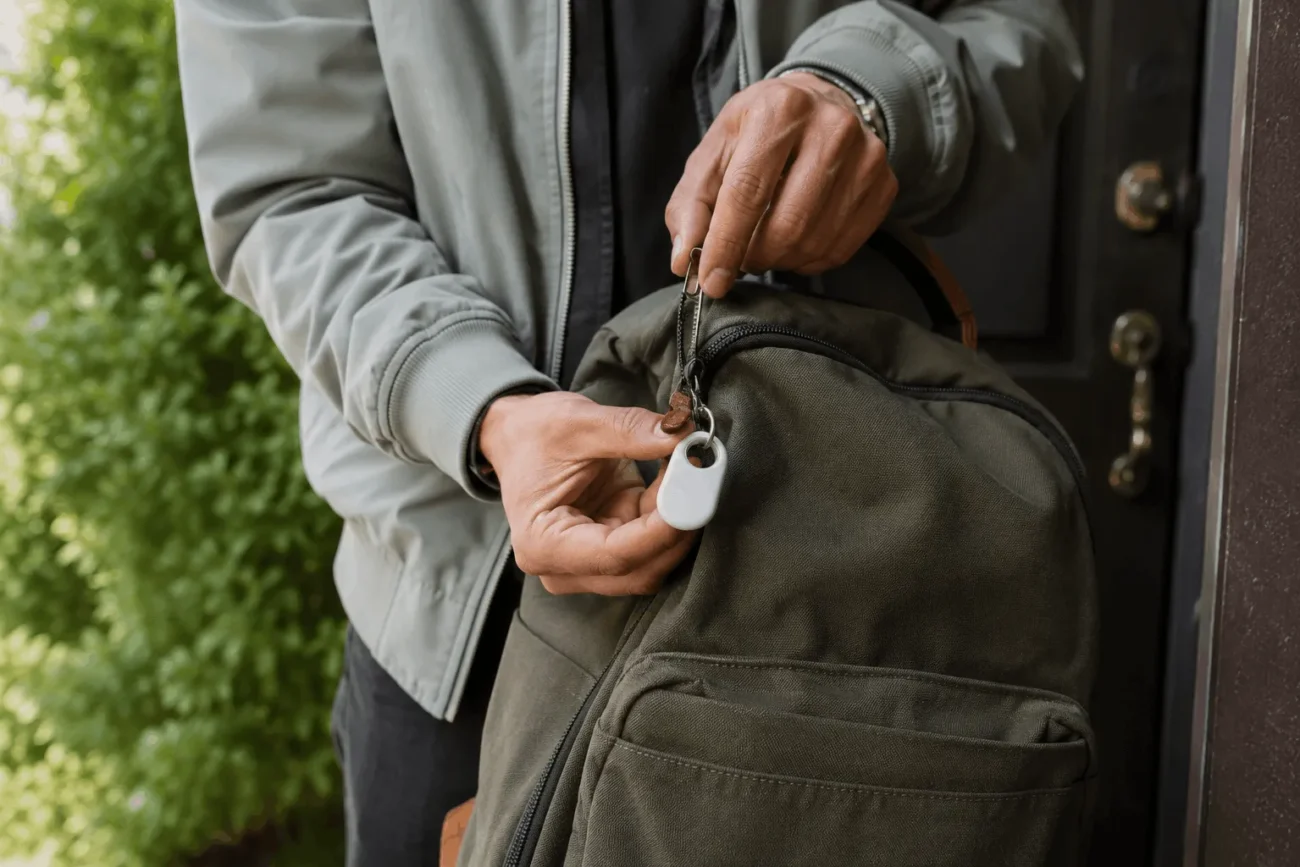
A Samsung SmartTag is a small Bluetooth tracker that clips onto keys, bags, or luggage and reports its location through the SmartThings Find network on your phone. It only works with Samsung Galaxy devices, which is the single most important fact to know before you buy one. Samsung has released three versions since 2021: the original SmartTag, the ultra-wideband SmartTag+, and the redesigned SmartTag2, which is the current model sold today. Prices start around $29, with four-packs commonly discounted well below list price. This guide covers how the tracker works, what each model offers, and whether it beats an Apple AirTag for a Galaxy household
How the Samsung SmartTag Works
The tracker itself does not have GPS or a cellular connection. Instead, it broadcasts a Bluetooth signal that nearby Galaxy phones and tablets pick up anonymously and relay to the SmartThings Find network, which then plots the tag’s last known position on a map inside the SmartThings app. This is the same basic method Apple uses for the AirTag and Find My, except Samsung’s version depends entirely on other Samsung devices being nearby.
On UWB-capable models (SmartTag+ and SmartTag2, paired with a Galaxy phone that also has a UWB chip, such as the S21+ or newer Ultra variants), you get an AR-guided arrow that points you toward the tag once you’re within a few meters. Without UWB, you’re limited to a basic proximity reading and a ringtone you can trigger from the app. Samsung also lets you set up automations, so tapping the SmartTag’s button can trigger SmartThings routines like turning on a lamp or locking a smart door.
Samsung SmartTag Models Compared: SmartTag, SmartTag+, and SmartTag2
| Model | Released | Launch Price | UWB Support | Battery Life |
| SmartTag | January 2021 | $29 | No | Up to ~300 days |
| SmartTag+ | April 2021 | $39 | Yes | Up to ~300 days |
| SmartTag2 | October 2023 | $29-30 | Yes | Up to 500 days |
SmartTag2 is the version Samsung currently sells, and it’s a real redesign rather than a minor refresh. It added a metal inner ring so it clips onto more than just a keyring, an IP67 water and dust resistance rating, and a longer-lasting CR2032 battery. Samsung’s own listing puts battery life at up to 500 days under normal use, with roughly 40 percent more runtime available if you switch on power-saving mode.
Samsung SmartTag Price and Where to Buy
The SmartTag2 launched at $29 to $30 and that’s still close to what you’ll pay for a single unit at Samsung.com, Best Buy, or Amazon. Four-packs list around $99 but routinely sell for $45 to $70 during sales events, and deal sites have tracked drops as low as $11 per tag during flash promotions. If you’re tagging more than one or two items, buying a multipack is almost always cheaper per unit than buying tags individually.
Samsung doesn’t charge a subscription fee for SmartThings Find, which is a real cost advantage over trackers like Tile that gate some features behind a monthly plan. Refurbished and open-box listings show up often on Best Buy and Woot at a further discount, and they’re generally safe to buy since the tag itself has no moving parts to wear out beyond the battery.
Samsung also occasionally bundles a free SmartTag2 with new Galaxy phone preorders during launch promotions, so it’s worth checking Samsung.com before paying full price if you’re already shopping for a new device. Standard retail warranty coverage is one year from the date of purchase in the US, and that covers manufacturing defects but not battery depletion, which is expected and normal over time.
Samsung SmartTag vs Apple AirTag: Which Tracker Wins in 2026?
Apple released the AirTag 2 in January 2026 with a new U2 ultra-wideband chip, a louder speaker, and a longer effective range for Precision Finding. On paper it’s a stronger piece of hardware than the SmartTag2, which has been on the market since late 2023. The deciding factor isn’t the chip, though. It’s the phone in your pocket.
AirTag only pairs with iPhones and only benefits from Apple’s Find My network, which draws on well over a billion Apple devices worldwide. SmartTag2 only pairs with Galaxy phones and depends on Samsung’s SmartThings Find network, which one 2026 tracker comparison estimated at roughly 200 million active devices. That gap matters most outside major cities and outside regions where Samsung phones are common. Reviewers at Android Authority who tested the SmartTag2 across several European cities found location updates nearly as fast and precise as AirTag’s in most areas, but noted slower updates in places with fewer Galaxy phones nearby.
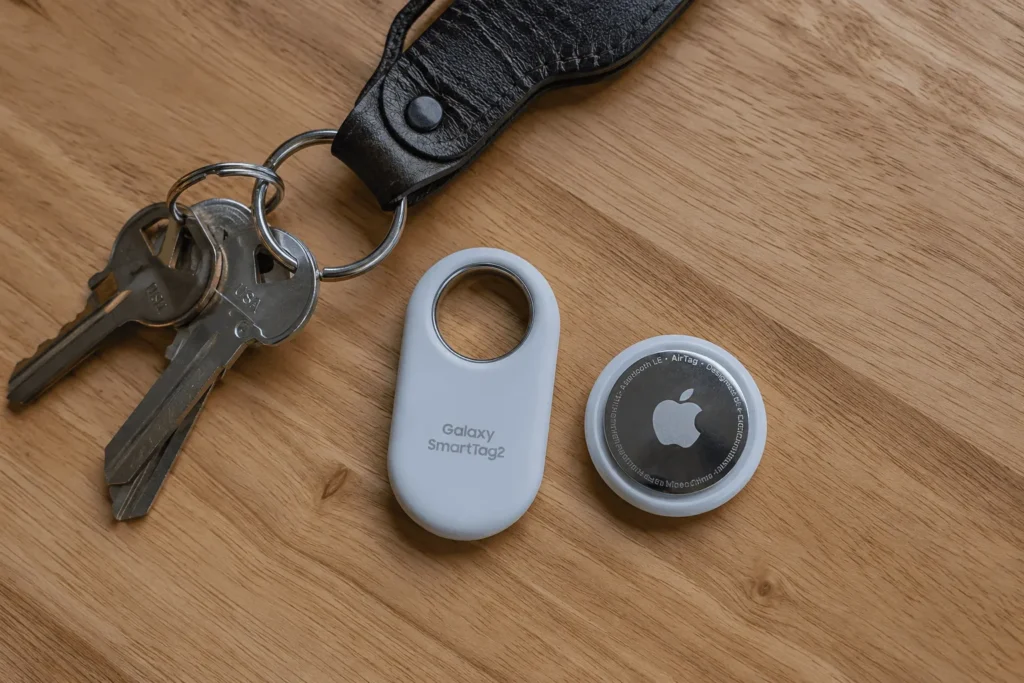
If everyone in your household carries a Galaxy phone, the SmartTag2 is the practical choice and it costs the same as an AirTag. If your household mixes iPhones and Android phones, neither tracker covers everyone, and a cross-platform option like Tile or a Google Find Hub-compatible tag is worth a look instead.
Key Features That Set the SmartTag2 Apart
A few features are easy to miss on the spec sheet but matter in daily use. Compass View gives you a directional arrow and distance readout once you’re close to the tag, similar to Apple’s Precision Finding. Search Nearby lets you scan a room with your phone to get a rough bearing even without full UWB support. Lost Mode lets you mark a tag as missing so that any Galaxy phone that passes near it, not just yours, quietly reports its location back to you.
Samsung also built in unwanted tracking alerts, so if an unfamiliar SmartTag ends up traveling with you (say, hidden in a bag), your phone will notify you after a set period. This mirrors the anti-stalking protections Apple added to Find My and is worth knowing about if privacy is a concern. The IP67 rating means the tag can handle rain and a drop in a puddle, though Samsung doesn’t recommend submerging it deliberately.
For pet owners, the small size and light weight (around half an ounce) make the SmartTag2 a practical add-on for a collar, though Samsung markets it as a general item tracker rather than a dedicated pet product. Attaching it to a dog’s collar alongside existing ID tags gives you a second, independent way to check a pet’s last known location if it slips out of a yard.
Who Should Buy a Samsung SmartTag, and Who Should Skip It
A Samsung SmartTag makes sense if you own a Galaxy phone and want to track keys, a bag, a bike, or a pet’s collar without paying a subscription. It’s a particularly good fit if you already use SmartThings for other smart home devices, since the automation triggers add real value beyond simple tracking.
It’s not the right pick if you carry an iPhone, since SmartTags can’t pair with iOS beyond a basic NFC tap for lost-item contact info. It’s also a weaker choice if you own a non-Samsung Android phone, because the SmartThings Find network only counts Galaxy devices, not the wider Android install base that Google’s Find Hub network can reach.
Setting Up a Samsung SmartTag in the SmartThings App
Setup takes about two minutes on a compatible Galaxy phone. Open the SmartThings app, tap the plus icon, and choose “Add device,” then select SmartTag2 from the device list. Hold the tag near your phone and follow the on-screen pairing prompt, then give the tag a name tied to what it’s attached to, like “House Keys” or “Backpack.”
Once paired, you can turn on Lost Mode from the tag’s settings, choose which SmartThings routines the button triggers, and toggle power-saving mode if extended battery life matters more to you than instant location refreshes.
Common Samsung SmartTag Problems and Quick Fixes
The most frequent complaint in user forums is a tag that won’t reconnect after being out of range for a while. Removing and re-adding the device in SmartThings usually resolves it faster than waiting for it to reconnect on its own. If the tag shows as offline for days despite being nearby, check that Bluetooth and location permissions are still enabled for SmartThings in your phone’s settings, since Android updates occasionally reset app permissions.
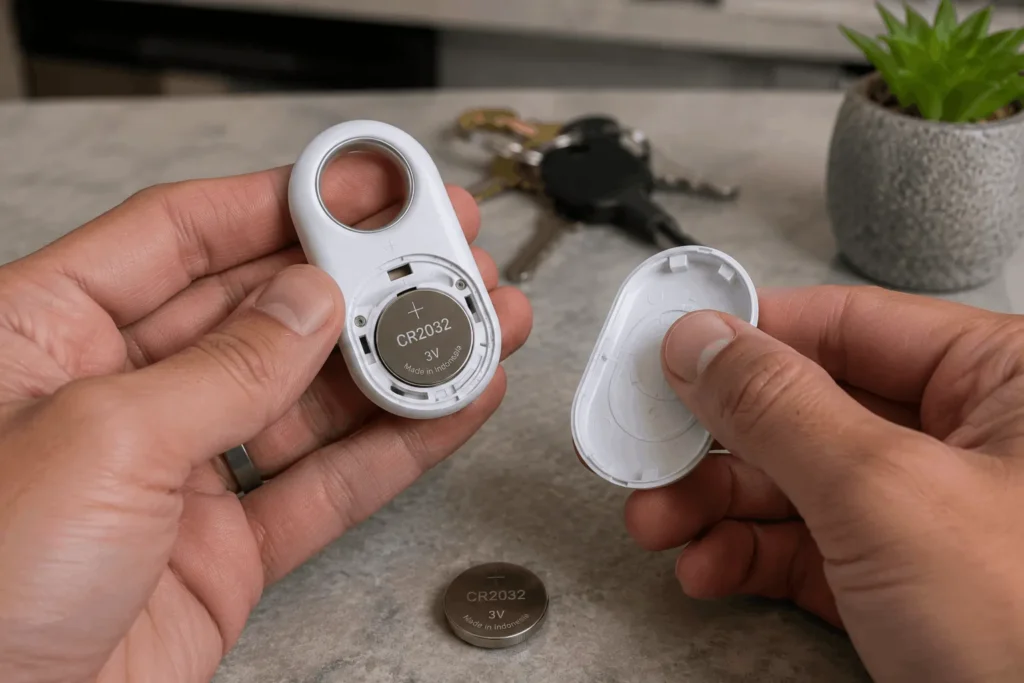
False “left behind” alerts are the second most common issue, usually triggered by walking just outside Bluetooth range and back again quickly. Adjusting the alert sensitivity in the tag’s settings cuts down on these false positives without turning the feature off entirely. Battery replacement is straightforward: twist off the back cover, pop out the old CR2032, and press in a new one, no tools required.
Is a Samsung SmartTag Worth Buying in 2026
For a Galaxy owner, a Samsung SmartTag is a reasonable, no-subscription way to keep tabs on the things you’re most likely to misplace. It won’t beat an AirTag’s network reach if you travel through iPhone-heavy areas, and it’s not usable at all if your phone isn’t a Samsung. Within its own ecosystem, though, it does the job at a fair price and adds smart home tricks that a plain Bluetooth tracker can’t match.