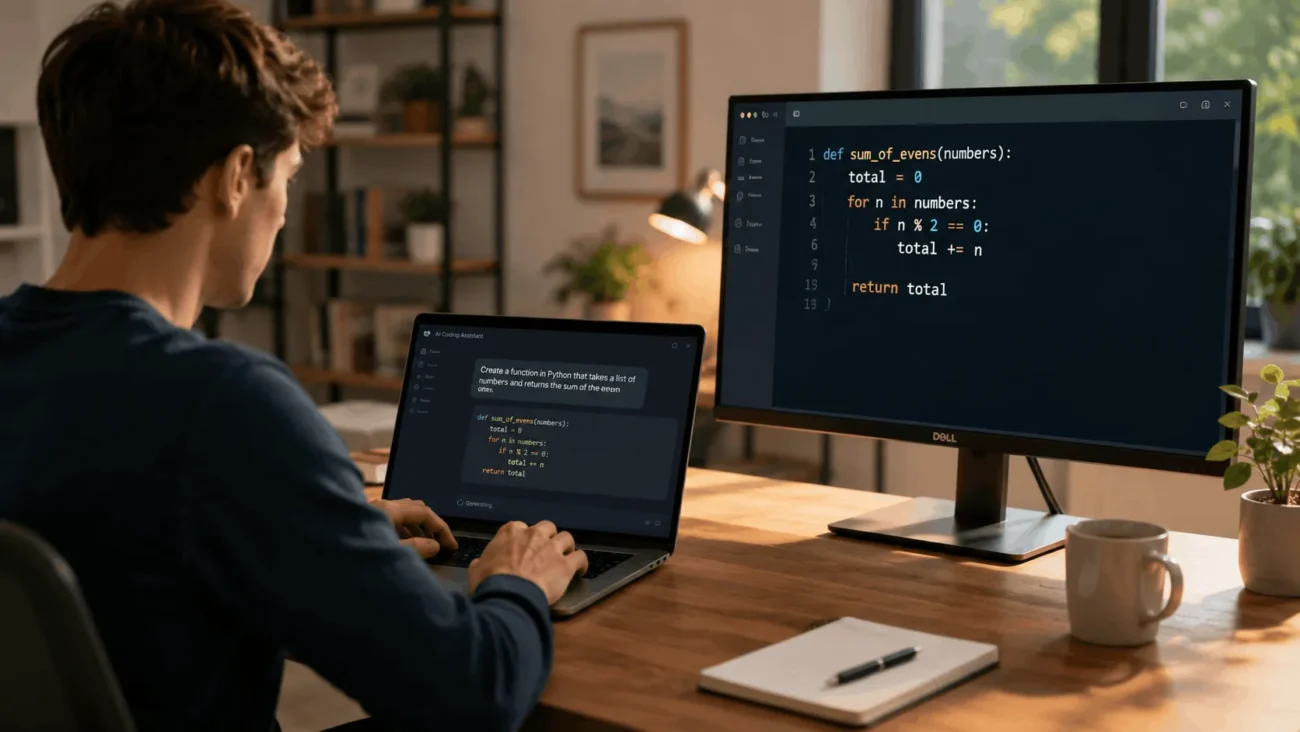
Vibe coding is a way of building software by describing what you want in plain language. An AI model then writes the code for you. Instead of typing out functions and syntax by hand, you tell an AI coding tool your goal. You look at what it produces and ask for changes until the app works the way you pictured it. The term spread fast through developer circles in 2025. It now covers everyone from hobbyists building a weekend project to engineering teams speeding up routine work. This guide breaks down what vibe coding looks like in practice, when it helps, and where it can get you into trouble.
What is vibe coding, exactly
Vibe coding is the practice of generating working software mostly through natural language prompts instead of hand written code. AI researcher Andrej Karpathy first used the term in a social media post in February 2025. He described a workflow where he stated what he wanted, accepted the AI’s output, and moved on without reading every line himself. That casual description stuck. Within months, “vibe coding” became shorthand for any workflow that leans on AI generated code more than on typing it by hand.
The word “vibe” points to the feel of the process. It is conversational and driven by intent rather than syntax. Vibe coding is not one tool or one company’s product. Any AI coding assistant can be used to vibe code. That includes a simple autocomplete plugin inside your editor and a full app building platform in your browser.
How vibe coding actually works
Most vibe coding sessions follow a loop rather than a straight line. You describe your goal in a sentence, for example “build a login page with email and password fields and basic validation.” The AI tool generates a first version of the code. You review what it made, run it, and note what is missing or wrong.
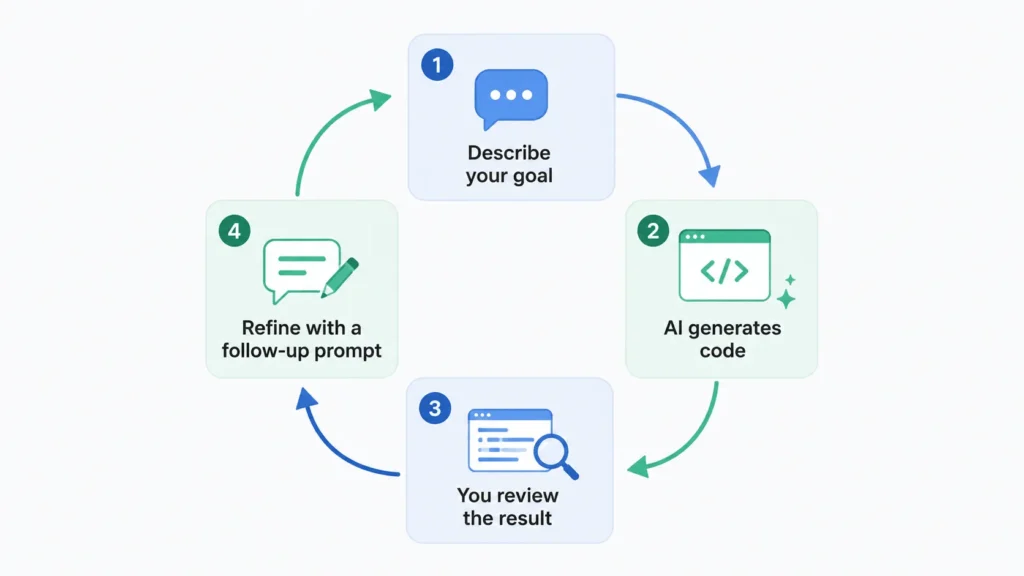
Then you send a follow-up prompt asking for a fix or an addition, and the tool updates the code accordingly. You repeat this cycle, sometimes many times, until the result matches what you had in mind. The quality of the outcome depends heavily on how clearly you describe constraints. That includes the programming language, the data involved, and any rules the code has to follow.
Two different ways to vibe code
People tend to fall into one of two camps. In hands-off vibe coding, you trust the AI’s output almost completely. You focus on whether the app behaves the way you want, not on how it was built. This suits quick experiments, weekend projects, or throwaway prototypes where nothing depends on the result.
In hands-on vibe coding, you still let AI generate most of the code. But you read every change, test it, and ask questions when something looks off. This is closer to working with a fast junior developer than to fully automating the job. Most professional developers who vibe code lean toward the hands-on version, especially for anything that will reach real users.
Vibe coding vs. traditional coding
Traditional coding means writing and understanding every line yourself, planning the architecture, and controlling the structure from the start. Vibe coding flips that order. You describe the outcome first and let the structure emerge from the AI’s output, adjusting as you go.
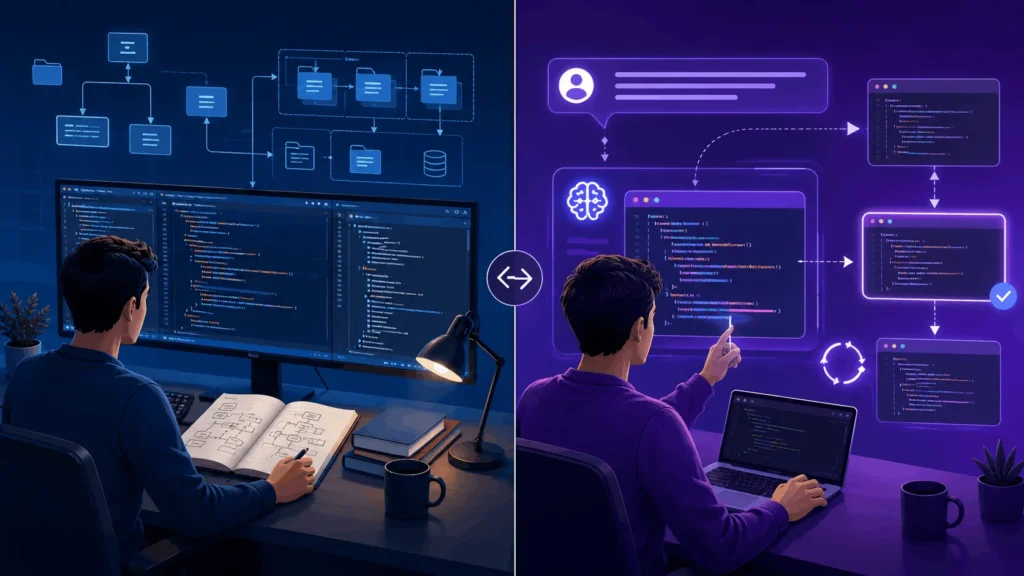
Traditional coding gives you predictability and a codebase you understand deeply. Vibe coding gives you speed, especially early in a project when the goal is simply to see if an idea works. Neither approach replaces the other. Many developers now write the core architecture by hand, then vibe code repetitive parts like form validation, boilerplate, or test cases.
Vibe coding vs. no-code and low-code tools
It is easy to confuse vibe coding with no-code or low-code platforms, but the two work differently. No-code tools, like visual website builders, use drag-and-drop interfaces and prebuilt blocks, so you are limited to whatever components the platform offers.
Vibe coding uses natural language to generate actual source code, usually in a real programming language such as JavaScript or Python. That code can be exported, edited by hand, and extended well beyond what a drag-and-drop system allows. The tradeoff is that vibe coding demands more comfort with reading and troubleshooting code than a pure no-code tool does. That holds true even if you never write a line yourself.
The tools people use for vibe coding
Vibe coding tools generally fall into a few categories. Code completion assistants suggest lines or functions as you type inside your existing editor. Conversational coding assistants let you chat about your codebase and ask for specific changes. App builders take a written description and generate a working application, including the interface and logic, often inside a browser.
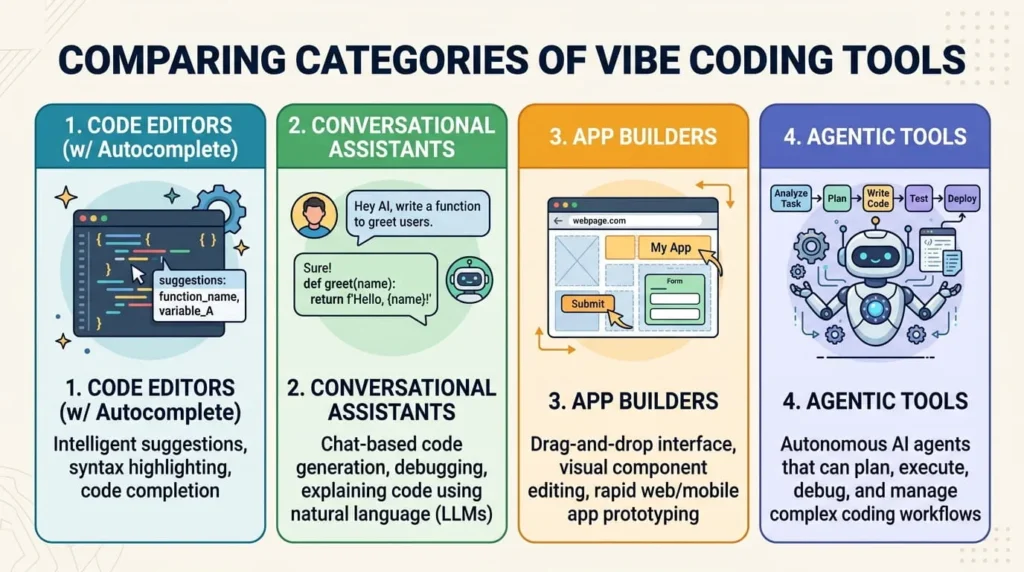
Agentic coding tools go further, planning multi-step tasks on their own, running tests, and fixing errors without you prompting each individual step. Well known examples across these categories include GitHub Copilot, Cursor, Claude Code, Replit, Bolt.new, Lovable, and Figma Make. The right choice depends on your skill level and whether you are building a prototype or production software.
What vibe coding is good for
Vibe coding shines when speed matters more than polish. Early prototypes benefit the most, since you can test whether an idea works before investing weeks in a full build. Non-technical founders and product managers use it to turn a concept into something they can click through and share with a team.
Developers use it to skip repetitive tasks, such as writing boilerplate, generating test cases, or scaffolding a new project. It also helps people learning to code. You can ask the AI to explain its output line by line, instead of using it only to skip the learning process.
The real risks of vibe coding
The same speed that makes vibe coding useful also creates problems if you skip review. AI generated code can look correct while still hiding real problems. It might hardcode a password, skip input validation, or use an outdated library with a known security hole. Because the code was never fully read, these issues often go unnoticed until something breaks or gets exploited.
Teams that vibe code without documentation or review can build up what some engineers call security debt. This is a growing backlog of unreviewed code that becomes harder and riskier to fix the longer it sits in production. Code that runs without errors is not the same as code that is safe, efficient, or easy to maintain. Treat AI output as a first draft, not a finished product. Test it the way you would test code written by a new hire.
When vibe coding is not the right fit
Vibe coding struggles with anything that needs deep precision, such as real time systems, hardware integrations, or algorithms that require careful tuning. It is also a poor fit for software that handles sensitive data, like health records, financial transactions, or authentication systems. A qualified engineer should review every line before it ships.
In regulated industries, skipping review to move faster can create compliance problems on top of security ones. A bug that could cost someone money, expose private data, or cause physical harm is a warning sign. Slow down and bring in traditional development practices, security review, and full testing, no matter how good the AI’s first draft looks.
How to try vibe coding for the first time
Start with a project that has low stakes, such as a personal tool, a small script, or a prototype nobody depends on. Pick an AI coding tool that matches your comfort level. Choose a conversational assistant if you already know how to code, or an app builder if you do not.
Write your first prompt with real detail. Include what the tool should build, what data it will use, and any constraints on style or behavior. Read the code the AI gives you, even if you do not understand every line, and ask it to explain unfamiliar parts. Test the result before you trust it, and keep refining your prompts as you go.