
Claude Pro vs Max comes down to one thing: usage capacity, not features. Pro costs $20 a month and gives you at least five times the usage of the free plan. Max costs $100 or $200 a month and gives you five or twenty times the usage of Pro. Every model, every core feature, and Claude Code itself are the same on both plans.
Most people asking this question already pay for Pro and want to know if Max is worth the jump, or they are signing up for the first time and want to skip the wrong plan. Either way, the answer comes down to how often you actually hit a usage limit, not how the plans are marketed.
Claude Pro vs Max at a Glance
| Plan | Price | Usage vs Pro | Weekly Limits | Claude Code |
| Pro | $20/month | Baseline | One combined cap across all models | Included |
| Max 5x | $100/month | 5x Pro | Combined cap plus a separate Sonnet cap | Included |
| Max 20x | $200/month | 20x Pro | Combined cap plus a separate Sonnet cap | Included |
Both Max tiers are billed monthly only. Pro can be billed monthly or annually at a discounted rate. Prices and limits can change at Anthropic’s discretion, so confirm current numbers at claude.ai/upgrade before you buy.
What You Get With Claude Pro
Claude Pro sits one tier above the free plan. Free users only get Claude Haiku and Claude Sonnet, so the single biggest upgrade Pro adds is access to Claude Opus, plus metered access to newer flagship models through usage credits when you need them.
Pro also includes Claude Code for terminal-based coding work and Cowork for handing off multi-step tasks in the desktop app. You get priority access during busy hours and earlier access to new features than free users see.
Pro’s usage resets on a rolling five-hour window, with one weekly cap layered on top that covers every model you use. If you send a handful of messages a day and take breaks between sessions, that window is usually enough room to work in.
What Max Adds on Top of Pro
Max does not add new models or new features on top of Pro. It adds room. Both Max tiers include everything Pro includes: Opus access, Claude Code, Cowork, and the same rolling five-hour session window.
The difference is how far that window stretches. Max 5x gives five times Pro’s usage per session. Max 20x gives twenty times Pro’s usage per session. Both tiers add a second weekly limit specific to Sonnet models, in addition to the combined weekly cap that already covers all models.
Max 5x vs Max 20x

Per unit of usage, Max 20x is the better deal. It costs twice as much as Max 5x for four times the usage. That only matters if you actually use it. Max 5x fits someone who works with Claude across most of a workday. Max 20x fits someone running Claude Code for hours at a time, refactoring large codebases, or keeping several long sessions open at once.
What Stays the Same
Paying more does not buy a smarter Claude. Both plans run the same models, Claude Sonnet 5 and Claude Opus 4.8, with metered access to newer flagship releases through usage credits when you need them. Both include the same context window per model, the same Projects and Artifacts features, the same web search and file uploads, and the same extended thinking mode for harder problems.
Claude Code and Cowork are identical across both plans, down to the interface and the underlying models they call. The only line that moves between Pro and Max is the size of your usage window, not what that window lets you do
Why There Is No Fixed Message Count
Anthropic does not publish an exact message count for any plan. Usage depends on how long your conversation runs, how much you attach, and which model answers you. A short question to Haiku costs far less than a long, file-heavy conversation with Opus.
This is also why Pro can feel generous for everyday chat and tight for coding. Claude Code sessions read through a lot of surrounding context on every turn, so they draw down the same usage pool faster than an ordinary back-and-forth conversation. That pattern shows up again and again in independent developer write-ups: people rarely run out of Pro usage chatting, but they run out fast once they open a terminal session against a real codebase.
When Pro Covers You Just Fine
Stay on Pro if you open Claude a few times a day for writing, research, or short coding questions and rarely see a usage warning. Pro also works well when your coding sessions are occasional instead of constant, since the five-hour reset usually catches up before your next one.
If you are still unsure, Pro is the safer starting point. Upgrading mid-cycle is simple. Downgrading after paying for unused Max capacity is not.
When Max Actually Earns Its Price
Upgrade when Pro’s limit interrupts real work, not because Max sounds more capable. The clearest signal is a usage warning more than once or twice a week, especially during Claude Code sessions involving debugging loops or a large repository.
Max 5x usually solves this for someone who works with Claude for a few hours daily. Max 20x fits people who treat Claude Code as their main tool for most of the workday, since the wider window absorbs long agentic runs without a mid-task stop
Claude Code Runs on the Same Plan and Pool
Claude Code, the terminal-based coding agent, comes included with both Pro and Max instead of being sold separately. It draws from the same usage pool as claude.ai on web, desktop, and mobile, so a long coding session and a long chat conversation count against the same five-hour window.
This matters for how you plan a workday. Run a demanding Claude Code session in the morning, and you have less room left for chat-based work in the afternoon, regardless of your plan. Max gives that shared pool more room.
A Cheaper Middle Step Before You Upgrade
Before paying for a full Max seat, Pro subscribers can turn on usage credits, which let you keep working past your included limit at standard API rates, with a monthly spending cap you set yourself. This suits someone whose usage spikes occasionally, rather than someone who needs more room every single day.
Usage credits also work on both Max tiers, so even Max 20x users can extend past their included usage instead of stopping mid-task. Treat this as an overflow option, not a substitute for picking the right base plan
Privacy and Data Handling on Pro and Max
Both plans sit under the same consumer terms, so privacy behaves the same on Pro and Max. You can choose in Settings whether your conversations help train future models, and that choice works the same way regardless of which plan you pay for. Paying more does not change your default privacy setting.
Neither plan is built for regulated data. Pro and Max are personal, single-user consumer plans, so neither comes with a Business Associate Agreement for handling protected health information. Anthropic issues that agreement only for Enterprise plans and the Claude API, so healthcare work or similar regulated data needs one of those instead of a higher consumer tier.
Pro and Max Are Both Single-User Plans
Neither Pro nor Max is built for sharing across a team. If several people need access under one bill, Claude Team adds shared billing and admin controls starting at a five-seat minimum, and Claude Enterprise adds single sign-on and custom data retention for larger organizations.
Buying several individual Pro or Max seats for a growing team usually costs more over time and gives none of the admin visibility Team or Enterprise include. If you are shopping for yourself, this distinction will not change your decision. If you are shopping on behalf of a group, it usually matters more than the Pro vs Max question itself.
How to Decide Without Guessing
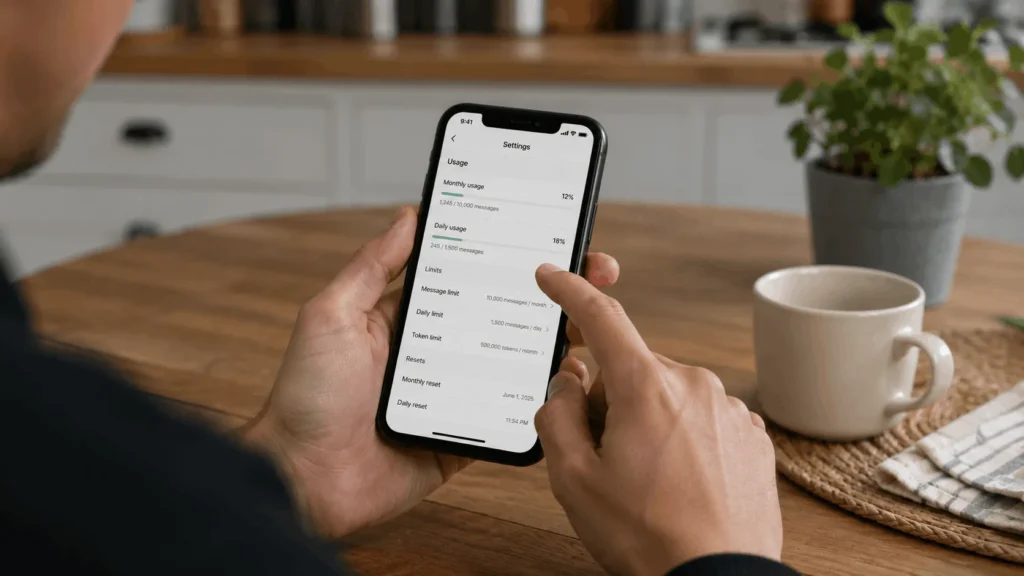
Check Settings, then Usage, in your Claude account before you pay for anything. That page shows your actual pattern and your next reset time, which tells you more than any comparison article can.
If you rarely see a warning there, Pro already covers you. If you see one weekly, Max 5x is the fix. If you see one daily, or you run Claude Code most of the workday, Max 20x pays for itself in the time you stop losing to a stalled session.
Revisit that page after a plan change too. Usage habits shift as projects get bigger or smaller, and the cheapest plan is the one that matches how you work right now, not how you worked when you first signed up.