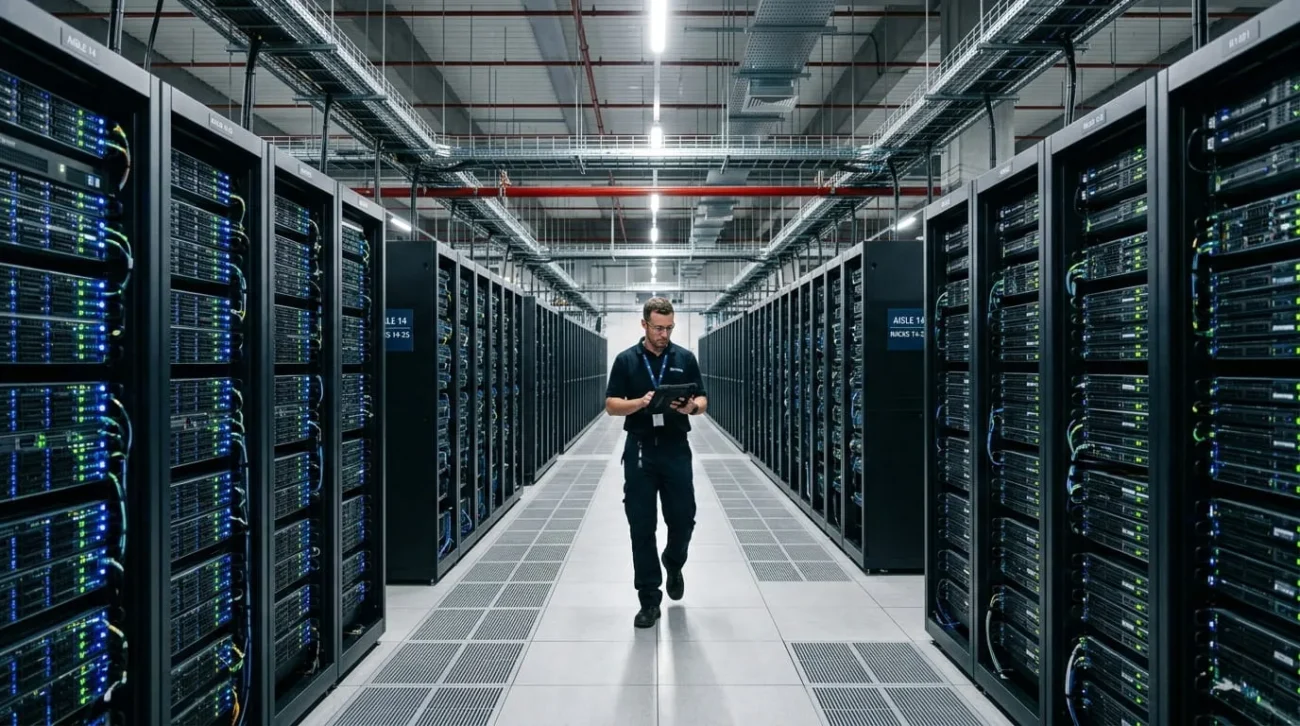
Data center automation replaces manual provisioning, monitoring, and maintenance with software that performs those tasks automatically. Instead of an engineer spinning up virtual machines by hand, scripts and platforms handle the routine work. Many can flag problems and fix them before anyone notices.
For teams managing hundreds or thousands of servers, this shift is not optional. Infrastructure now grows faster than most IT departments can hire. Manual processes cannot keep pace with that growth on their own.
This guide covers what data center automation actually does. It walks through the tools that run it, how to introduce it safely, and where it still falls short.
What data center automation actually means
H2: What data center automation actually means
Data center automation is the use of software and predefined rules to perform operations without requiring a person to execute each step by hand. That covers physical servers, virtualized environments, and public cloud resources running side by side.
The tasks vary widely. Examples include provisioning a virtual machine, patching five hundred servers, rerouting traffic from a failing switch, or triggering a scheduled backup. What ties them together is repetition. If a task follows the same steps every time, it is a strong candidate for automation.
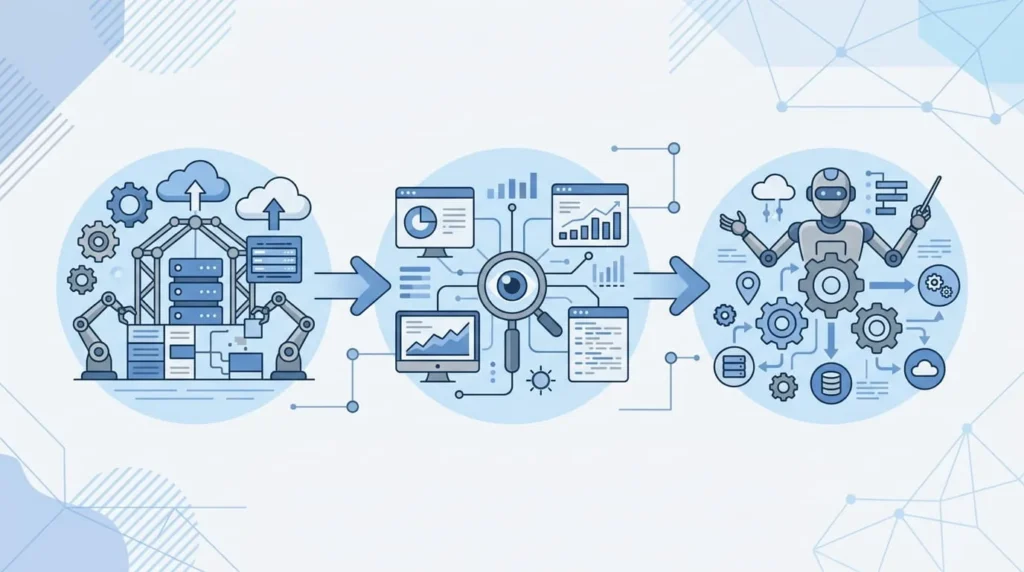
It helps to separate automation from orchestration early, since the two terms get used interchangeably. Automation handles a single task, like restarting a failed service. Orchestration coordinates multiple automated tasks into a single workflow, such as spinning up a new application stack end-to-end. Most working deployments use both, layered on top of each other.
Why this matters more than it did five years ago
Three pressures are pushing automation from optional to necessary. Data volumes and workload counts are climbing faster than IT staffing budgets in most organizations. Security patching windows have also shrunk, since a known vulnerability can be exploited within days of disclosure. Uptime expectations have tightened too, particularly for anything customer-facing.
Manual processes struggle against all three pressures at once. A person can patch fifty servers correctly by hand. Patching five thousand servers manually, on a deadline, with zero errors, is not realistic for any team. Automation is what makes that scale of work achievable without adding headcount in proportion to infrastructure growth.
The gain is not just speed. Automated tasks run the same way every time. That consistency removes many of the misconfigurations responsible for outages and security incidents in the first place.
What gets automated inside a modern data center
Provisioning and configuration
This is usually where automation starts. Instead of manually building a server, engineers define the desired configuration once, in code. The automation platform then applies it every time a new resource is needed. Infrastructure as code tools let teams spin up a fully configured environment in minutes instead of days. They can also roll back to a known-good state if something breaks.
Monitoring and incident response
Automated monitoring checks resource usage, latency, and error rates continuously, rather than relying on someone watching a dashboard. When a metric crosses a threshold, the system can restart a service, reallocate resources, or open a ticket automatically. Some platforms now use machine learning to catch early warning patterns before a failure happens. That is a meaningful shift from only reacting after the fact.
Orchestration and workflow automation
Beyond single tasks, orchestration platforms chain steps together into a full workflow. Deploying a new application might involve provisioning storage, configuring networking, applying security policies, and registering the service with a load balancer. Orchestration runs all of that in sequence, with checks between steps. No person needs to execute each part by hand
Rule-based automation versus AI-driven automation
Rule-based automation follows fixed logic: if a condition is met, the system runs a specific, predefined action. AI-driven automation goes a step further, learning patterns from historical data to decide what fits a new, unscripted situation. Rule-based automation is more predictable and easier to audit after the fact. AI-driven automation adapts faster to conditions nobody anticipated, but its decisions are harder to fully explain. That is why it needs closer oversight.
Facility and energy automation
Automation does not stop at the server layer. Sensors and building management systems can adjust cooling output based on real-time rack temperature, instead of a fixed schedule. That cuts energy use during periods of lower demand. The same systems can shift workloads away from a rack approaching a thermal limit before a shutdown becomes necessary. This layer gets less attention than server provisioning, but it directly affects the power bill and physical uptime.
The tools that actually run data center automation
Configuration management tools, including Ansible, Puppet, and Chef, apply and enforce consistent settings across servers. They form the backbone of most automation programs. Configuration drift, not lack of effort, causes a large share of production incidents.
Infrastructure as code tools like Terraform and AWS CloudFormation let teams define entire environments in version-controlled files. A data center’s exact configuration can then be recreated, audited, or rolled back, the same way application source code can.
Container orchestration platforms, most commonly Kubernetes, manage the deployment and scaling of containerized applications. They matter most wherever workloads move between on-premises and cloud environments on a regular basis.

Monitoring and incident management tools such as Datadog, Nagios, and Splunk track system health and trigger automated responses when something goes wrong. Backup and disaster recovery tools like Veeam and Rubrik handle scheduled backups. They also automate the recovery process during an outage.
Data Center Infrastructure Management platforms sit above most of these tools, giving a single view across power, cooling, and IT assets. That view matters because automation decisions need to account for physical constraints, not just software ones.
No single tool covers every requirement. Most working automation programs combine three or four of these categories. The choice depends on which infrastructure types a team already runs and where the biggest manual burden actually sits.
Rolling out automation without breaking production
Start with low-risk, high-volume tasks
Begin with tasks that happen often, follow a fixed pattern, and carry limited risk if something goes wrong. Routine patching and backup scheduling are good starting points. This builds internal confidence before automation touches anything customer-facing.
A typical starting point looks like this. A team automates nightly backup verification, a task that once took an engineer thirty minutes each morning to confirm by hand. Once that script runs reliably for a month with no missed backups, the team extends automation to a single server cluster. From there, it expands further.
Build in rollback and human checkpoints
Every automated workflow needs a fast way to reverse a bad change. For higher-risk actions, such as production deployments or firewall rule changes, keep a human approval step in the workflow. Do not let it run fully unattended from the start.
Expand once the pattern is proven
After a task runs reliably without manual intervention for a defined period, extend the same approach to adjacent tasks. Teams that try to automate everything at once tend to introduce more incidents than the automation was meant to prevent.
Where full automation still falls short
Automation is not the right call everywhere. Environments with strict audit requirements, such as certain financial or healthcare systems, often need a documented human sign-off at specific steps. That requirement limits how far end-to-end automation can realistically go.
Legacy systems without an API or scripting interface are difficult to automate without significant custom work. That cost can outweigh the benefit for a system nearing retirement anyway.
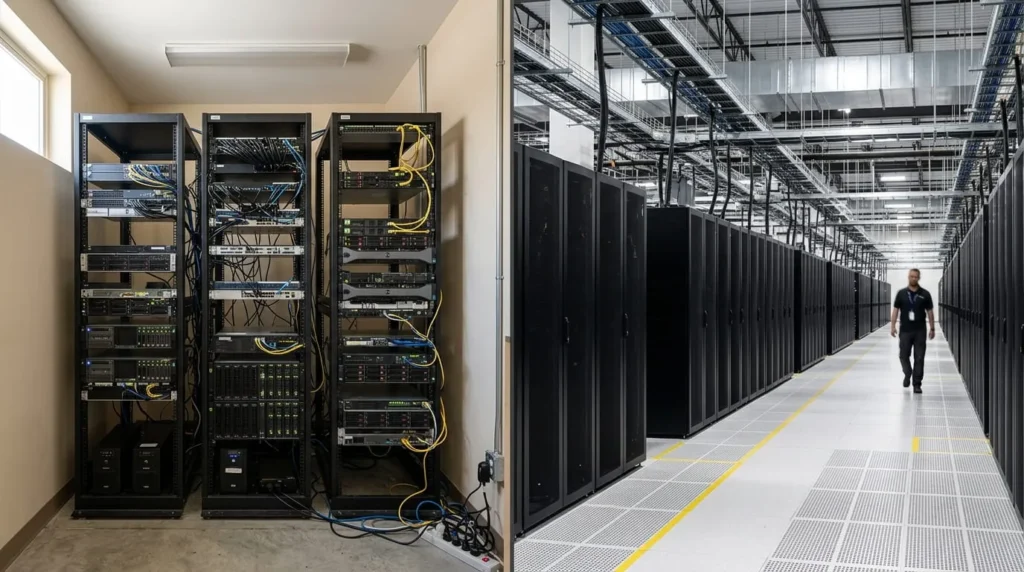
Smaller operations face a different problem entirely. Below a certain server count, the time spent building and maintaining automation can exceed the time it actually saves. In that case, a handful of targeted scripts for the most repetitive tasks makes more sense than a full platform.
AI-driven automation adds its own risk to this picture. A bad automated decision can spread faster than a human error would, since there is no natural pause between steps. That is why more mature programs keep a human check on any automated action that touches multiple systems at once.
Cost, staffing, and how long it takes
What automation costs to start
Cost is worth addressing directly, since it shapes most rollout decisions. Configuration management and monitoring tools are often the cheapest starting point, since several have free or low-cost tiers. Full orchestration platforms and enterprise DCIM software carry real licensing and integration costs. That is why most teams automate in phases rather than buying everything up front.
Does it replace IT staff
Data center automation does not replace IT staff. It removes repetitive manual work, which frees existing staff to focus on architecture, security, and projects that actually need human judgment.
How long does a first project take
A single well-scoped automation project, like automated patch management, typically takes a few weeks to plan, script, and test. Putting it into production usually follows quickly, assuming the target systems already support scripted access.
Does company size matter
Data center automation works for organizations of any size, since the right amount of it scales with the infrastructure. A ten-server environment needs a handful of scripts. A ten-thousand-server environment needs full configuration management, orchestration, and monitoring platforms working together.